
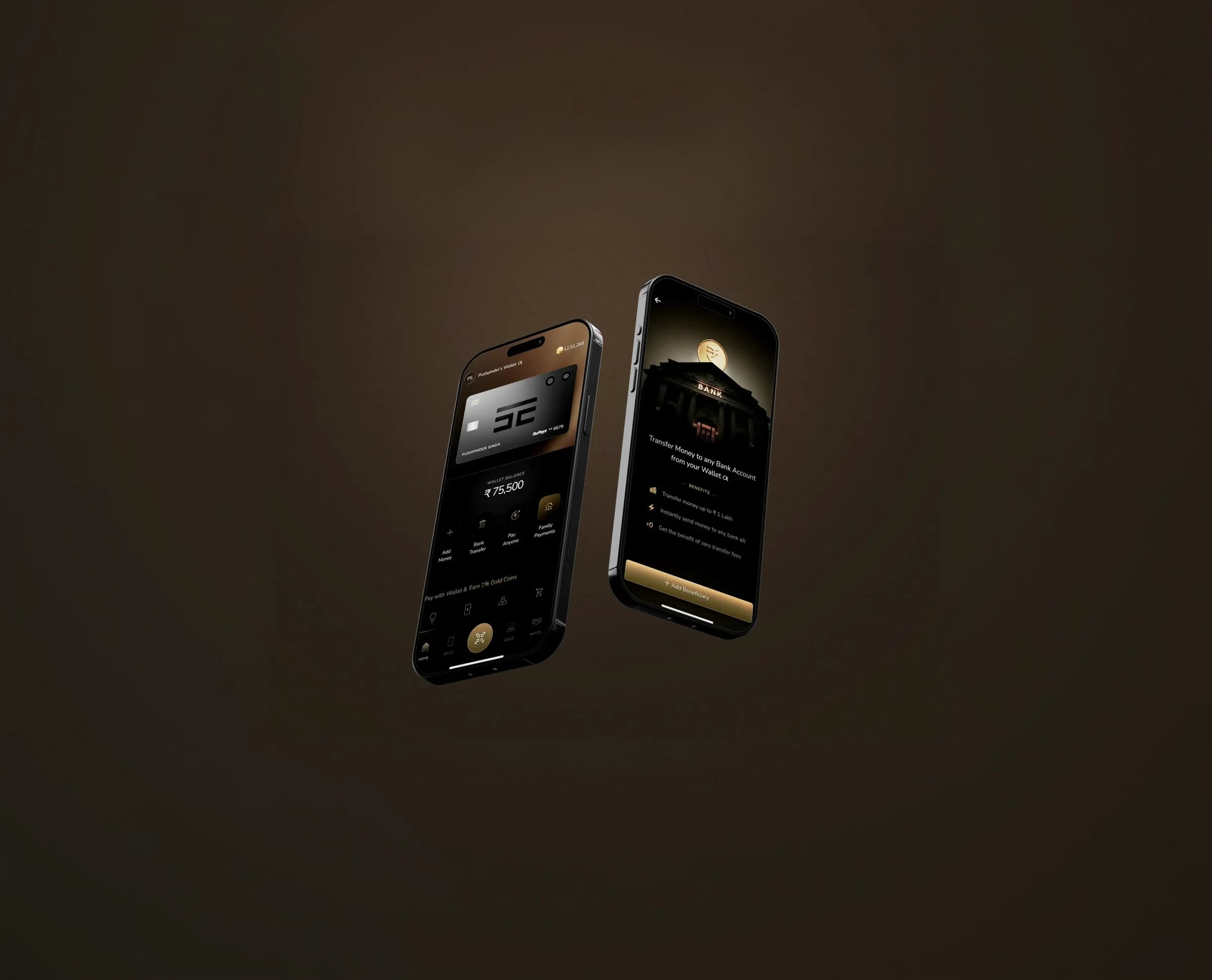
Rebuilding the Wallet at The Card Company
Designer
Pushpinder Singh
Timeline
3 weeks
About The Card Company
The Card Company builds a consumer payments app covering wallets, UPI, mandates, bill payments, rewards, and a gold coin system, with a focus on premium, dark-themed financial experiences.
What was broken in a home screen?
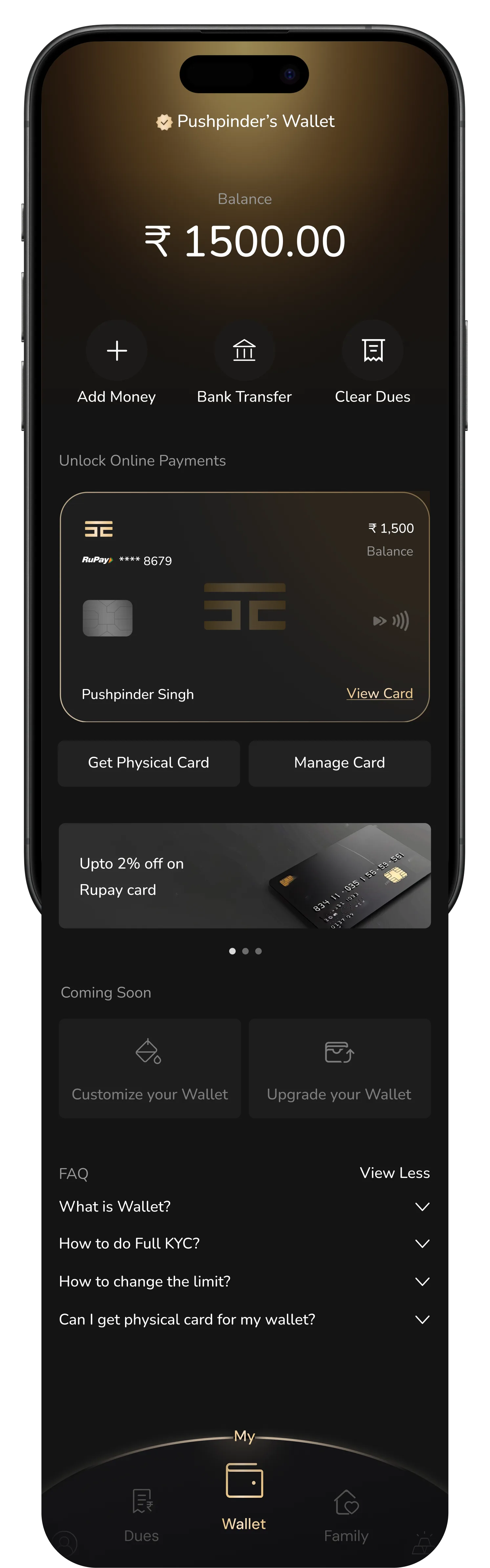
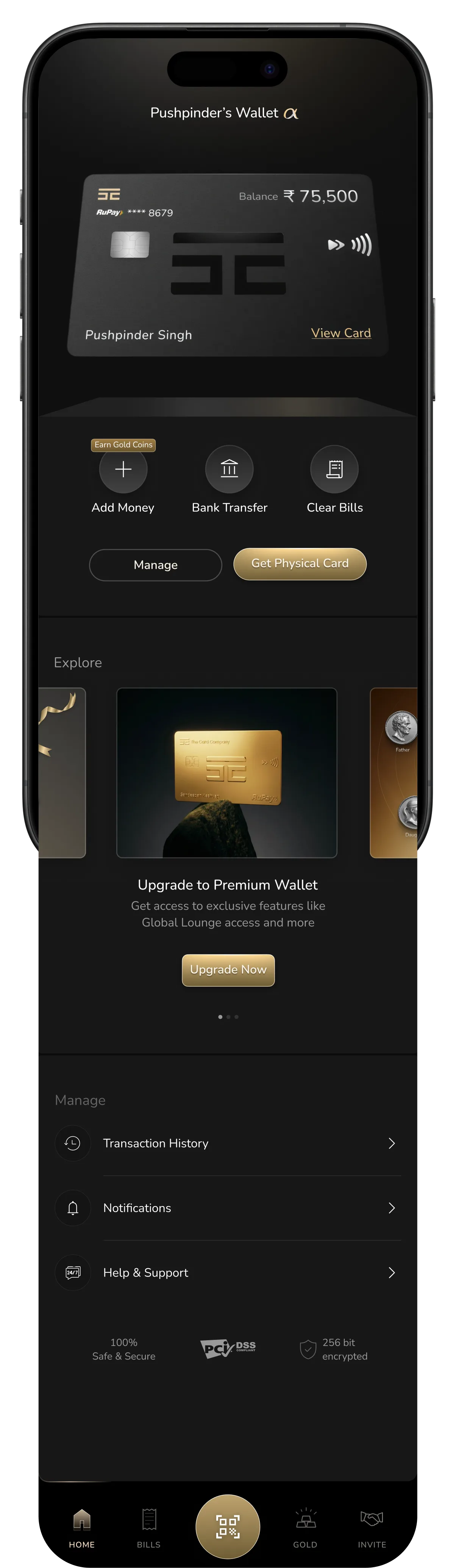
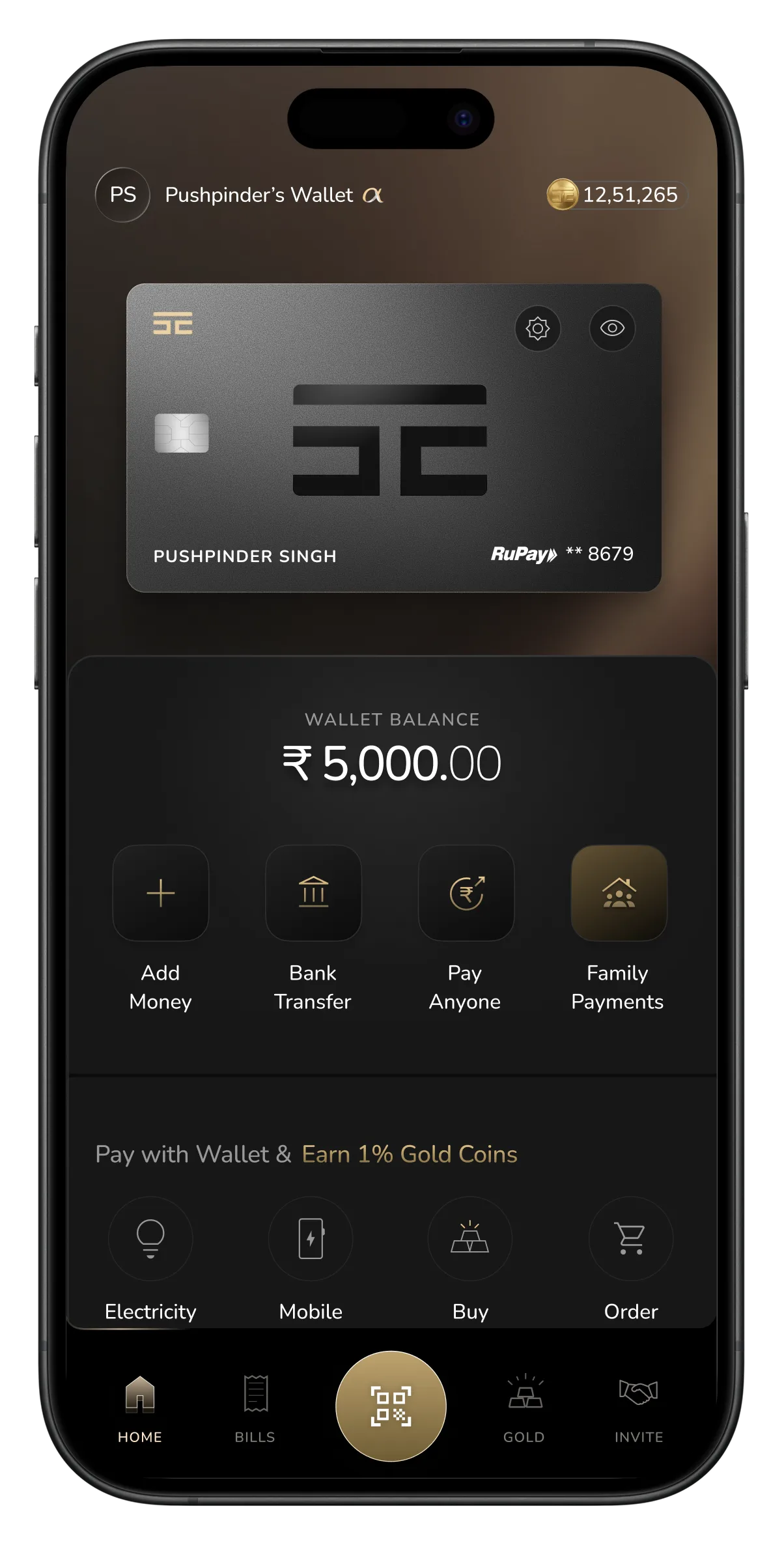
Visually, the screen had no hierarchy, balance, card, promos, and FAQs all sat at the same weight on one flat sheet, with nothing telling you where to look first. And it felt a generation behind: heavy blocks, weak depth, no rhythm between sections. The bones worked, but the screen never decided what mattered most.

This version fixed the structure, balance and actions, grouped into one clear block up top. But the priority was inverted: a full Premium upsell sat right under the balance, its gold “Upgrade Now” button the loudest thing on the screen, louder than your own money. And the layout turned boxy, every section a heavy container stacked on the next, with no rhythm between them. The bones were right; the screen just led with the wrong thing.
A wallet home screen has one job before any other: show me my money, and let me move it.
The fix
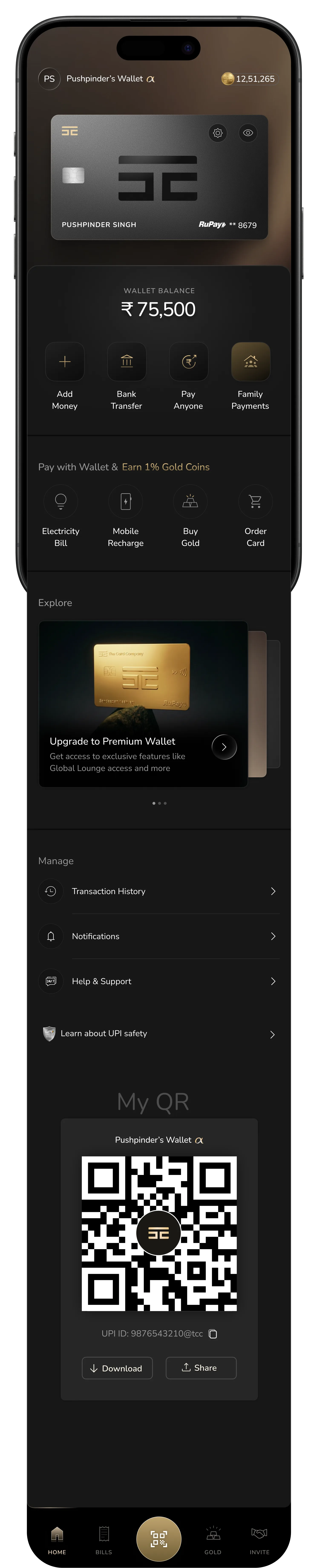
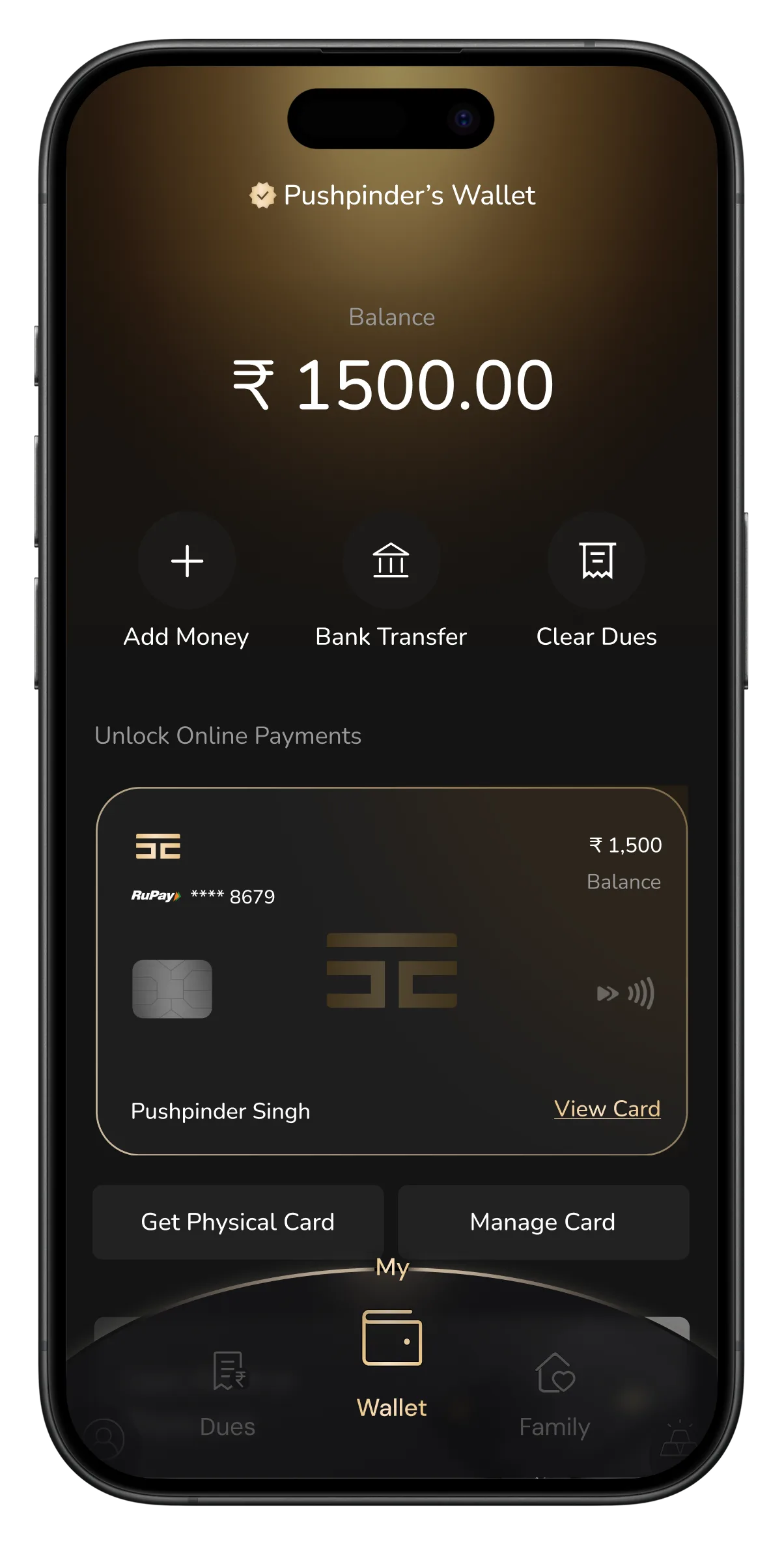
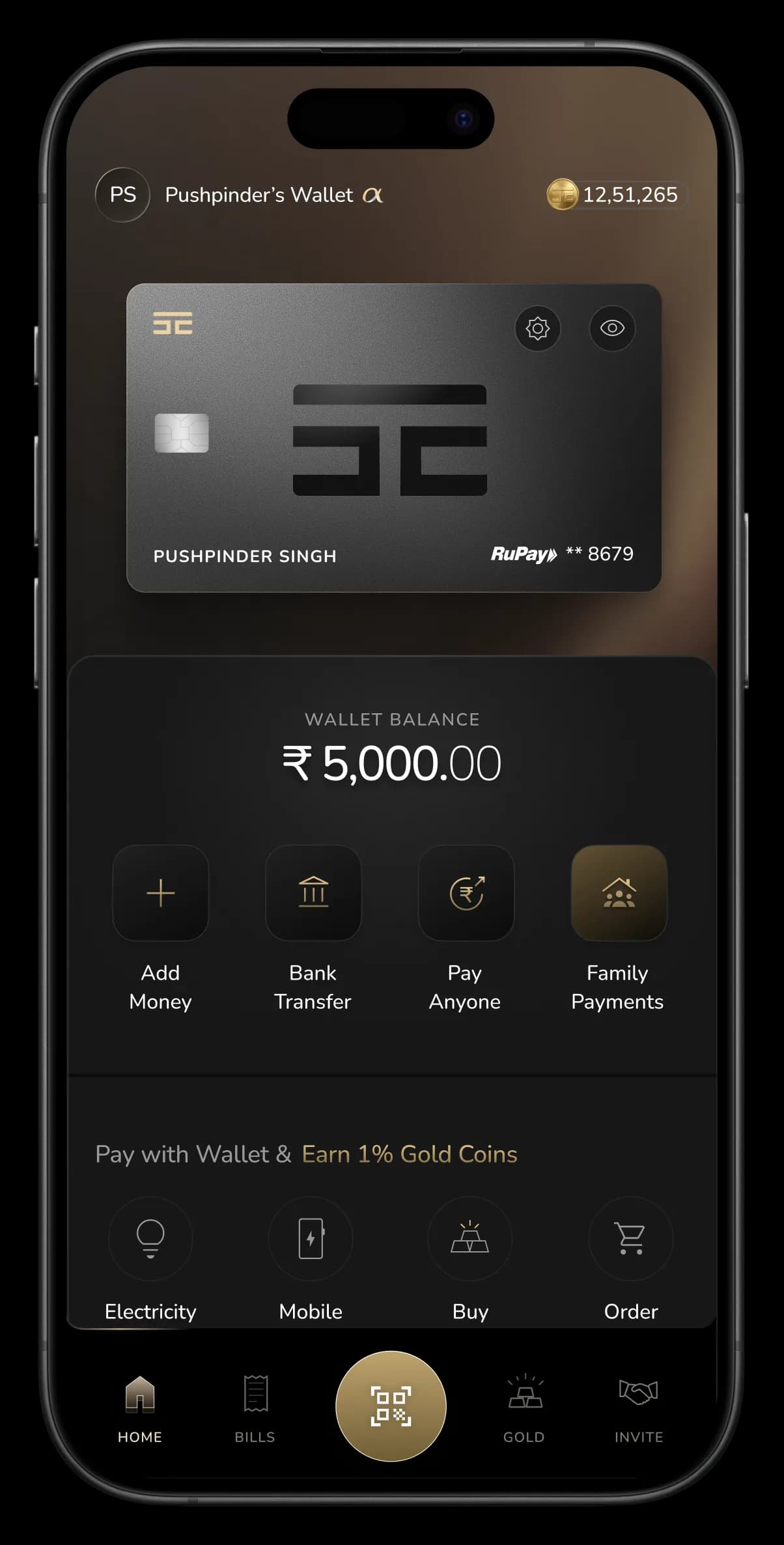
The screen was re-sequenced around what people open a wallet to do. The card sits at the top as identity. Below it, your balance and the four core actions, Add Money, Bank Transfer, Pay Anyone, Family Payments (space for new feature). Premium moved into Explore instead of shouting over the balance, so the loudest thing on the screen is finally your money and what you can do with it, not an upsell. Even the tab bar evolved: as wallet UPI came in, the center became scan-to-pay, the one spot your thumb always reaches. The cleaner structure left room for what was missing: Family Payments, and a QR for the everyday case.
Versions I didn't ship
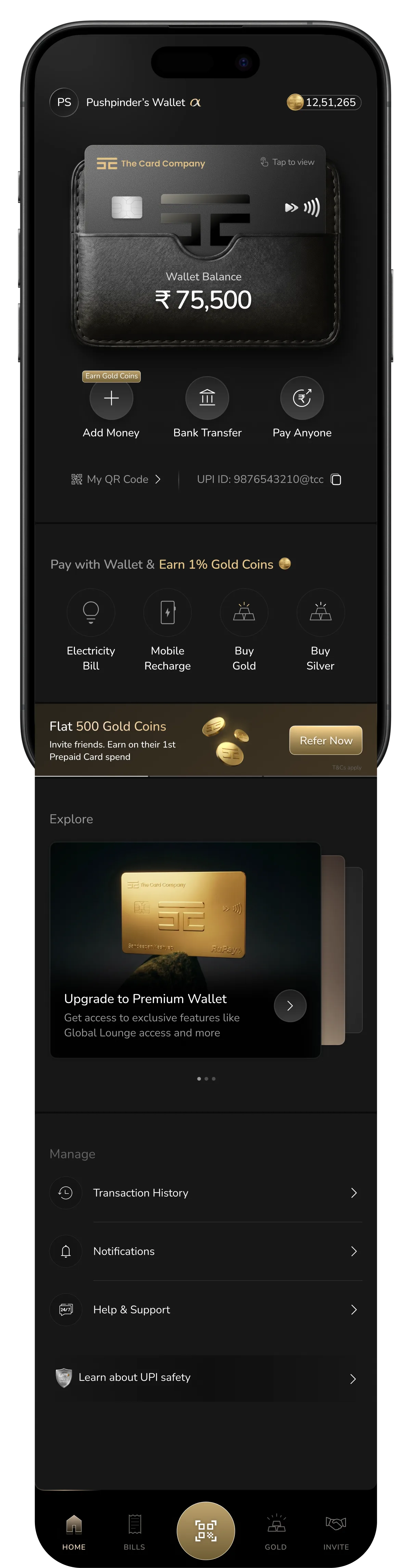
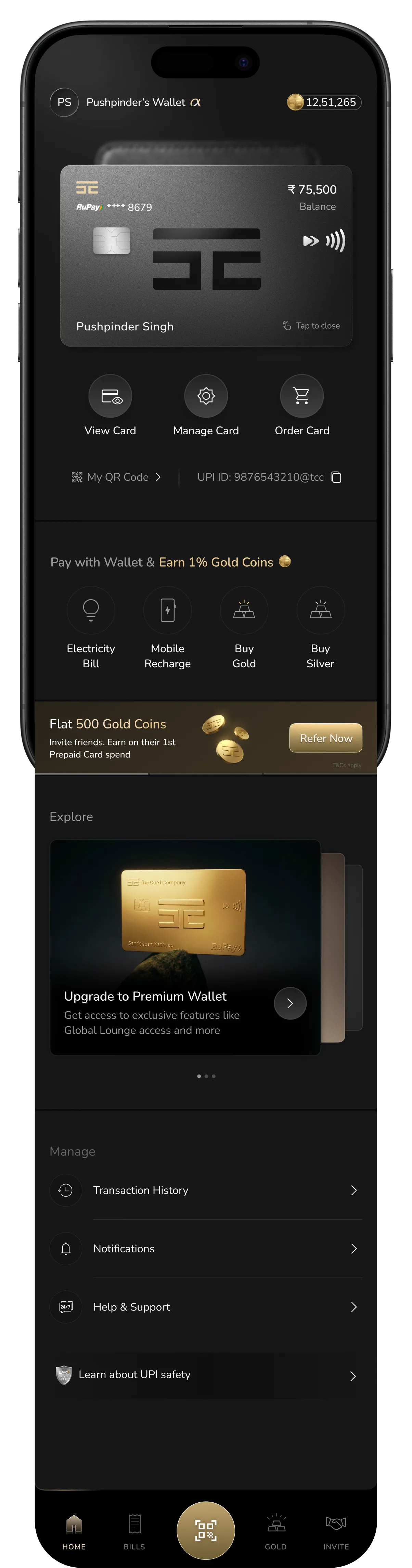
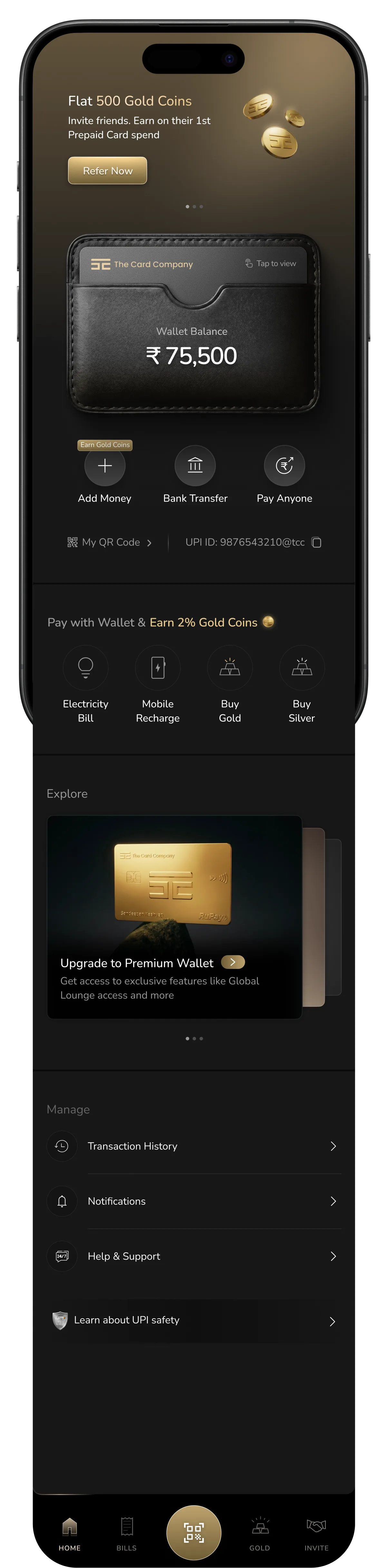
I started literal: a real wallet holding the card, tap to slide it out. It looked rich, that was the problem. It pulled the eye before the balance & other important CTA could, and the physical-card actions hid behind a tap, costing frequent users a step at checkout. The masthead had a separate issue we talked through: a permanent promo slot in the first fold assumes a user who already knows the home screen. The app was new. Right idea, wrong moment.
Scroll →
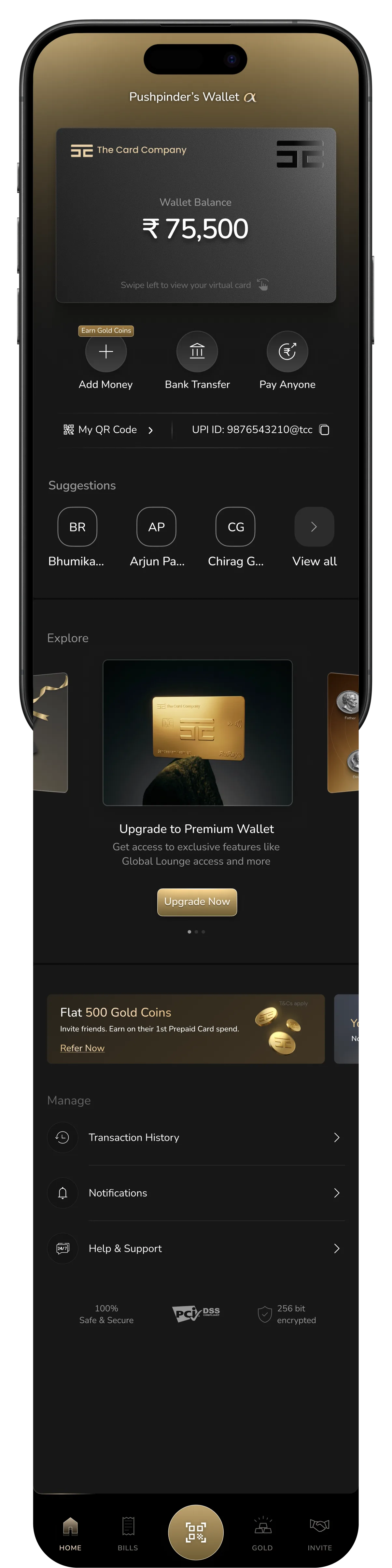
I swung the other way, lead with people, not the card. Recent contacts up top for fast send-and-receive. The review pushed back on the framing: the real question wasn't "who do you pay," it was "what can you do once money's in the wallet." Pay-anyone is one answer, not the headline. That reframe is what put the four core actions, not a contact list, at the center of the final screen.
Scroll →
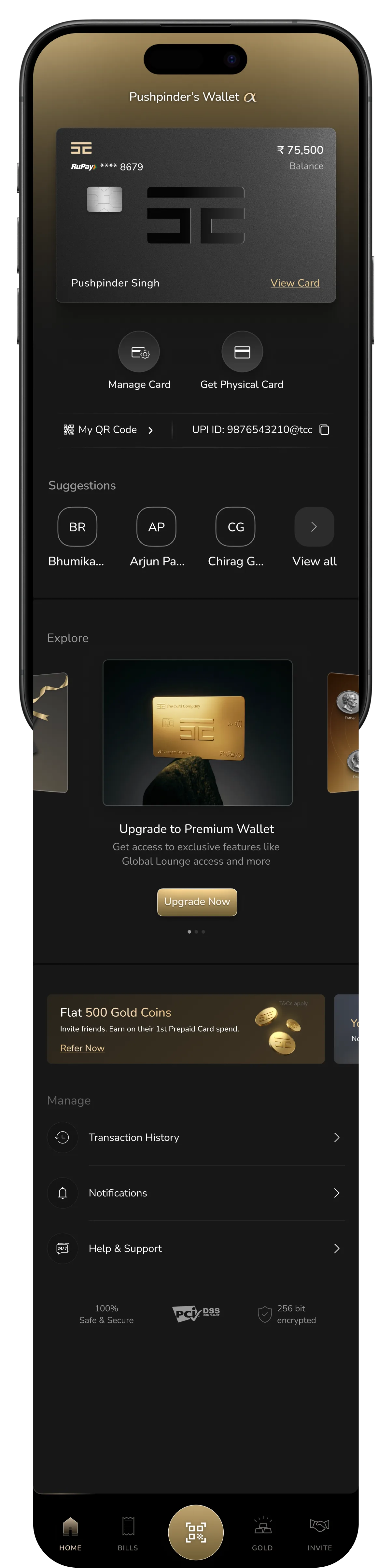
Last, I hid nothing, every action upfront, no taps. Honest, but the balance sat on a slanted card surface, fighting the perspective. A wallet's most important number can't sit at an angle.
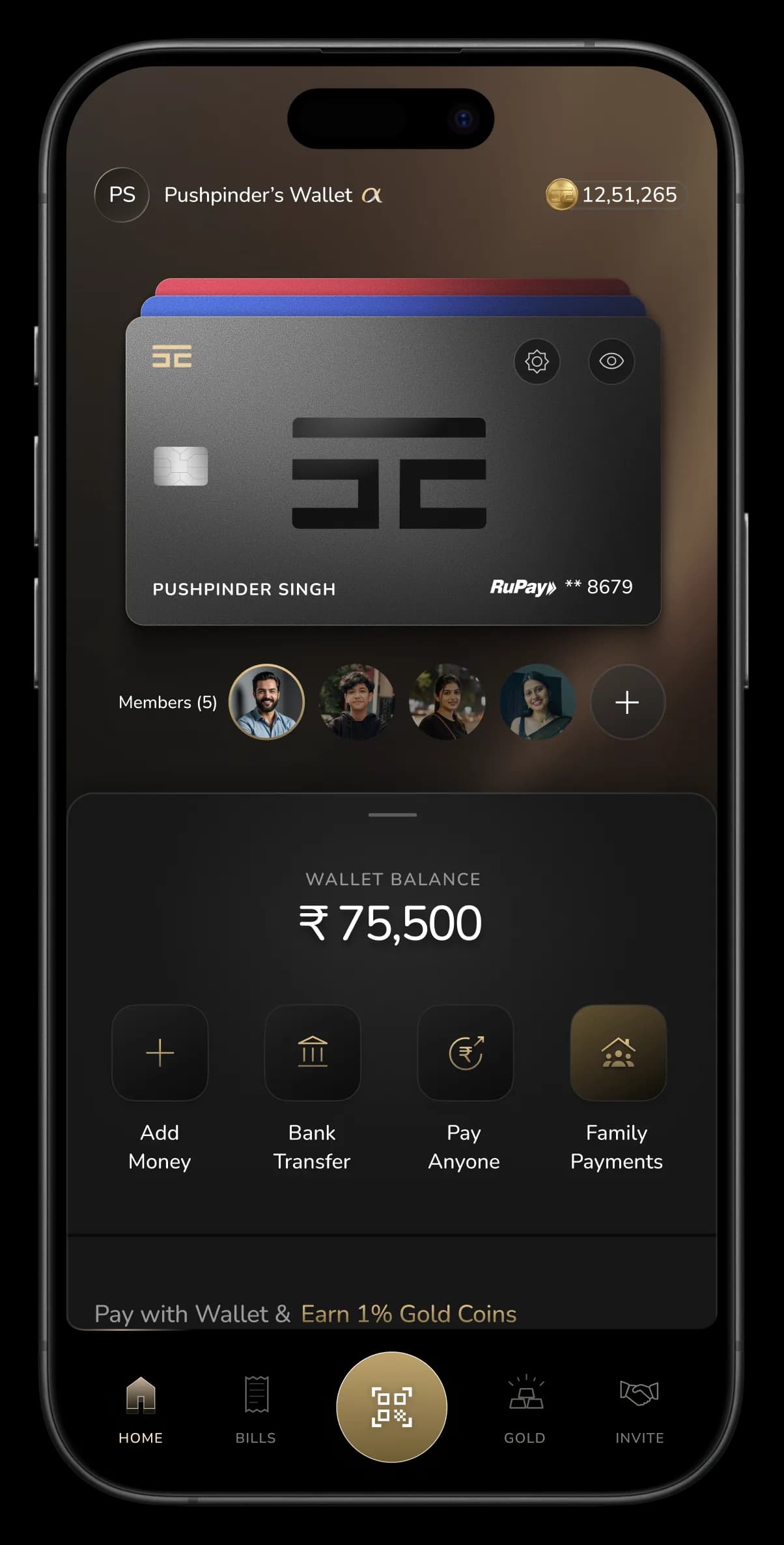
The same screen made room for a Family Payments (New Feature)
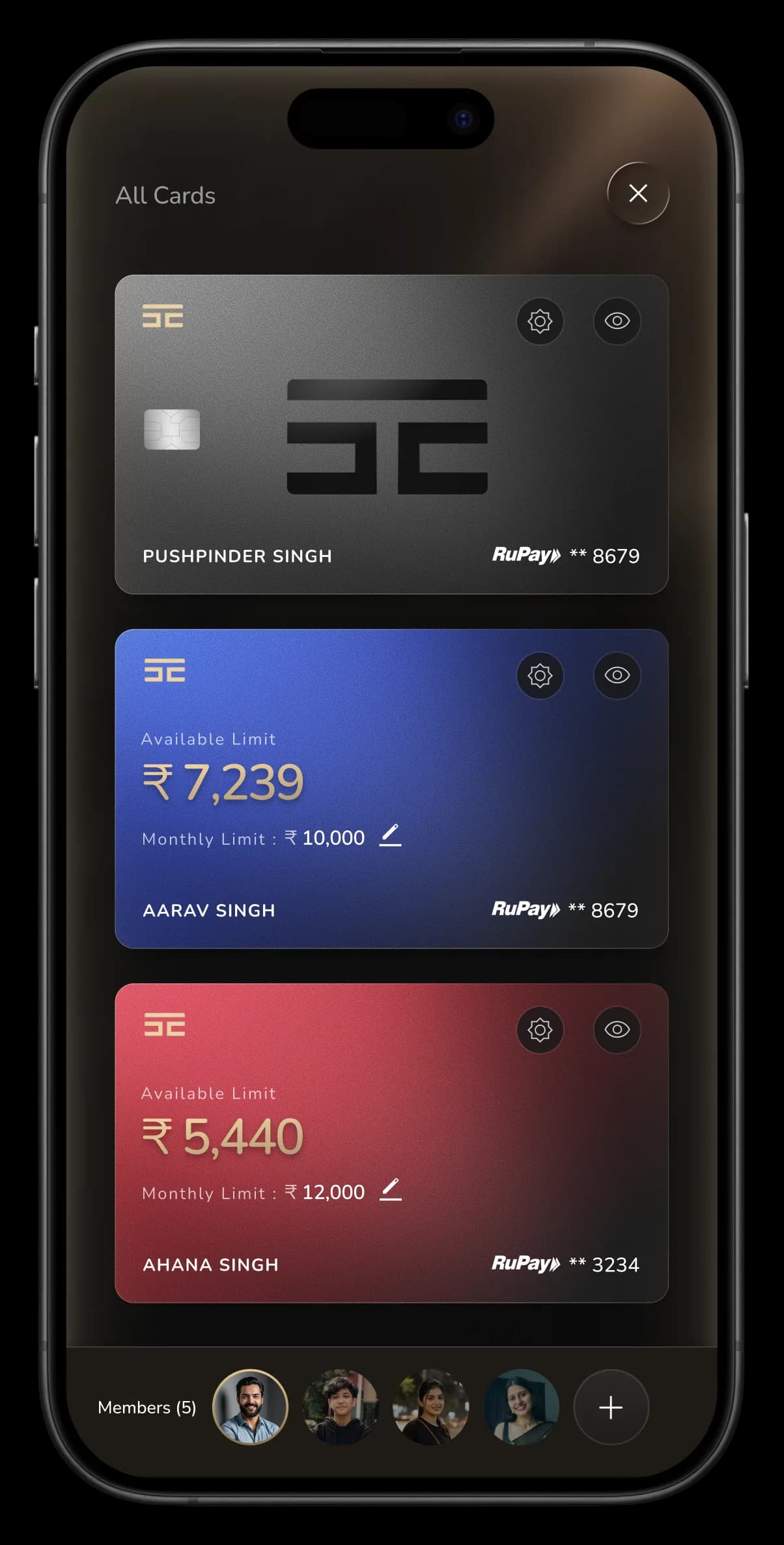
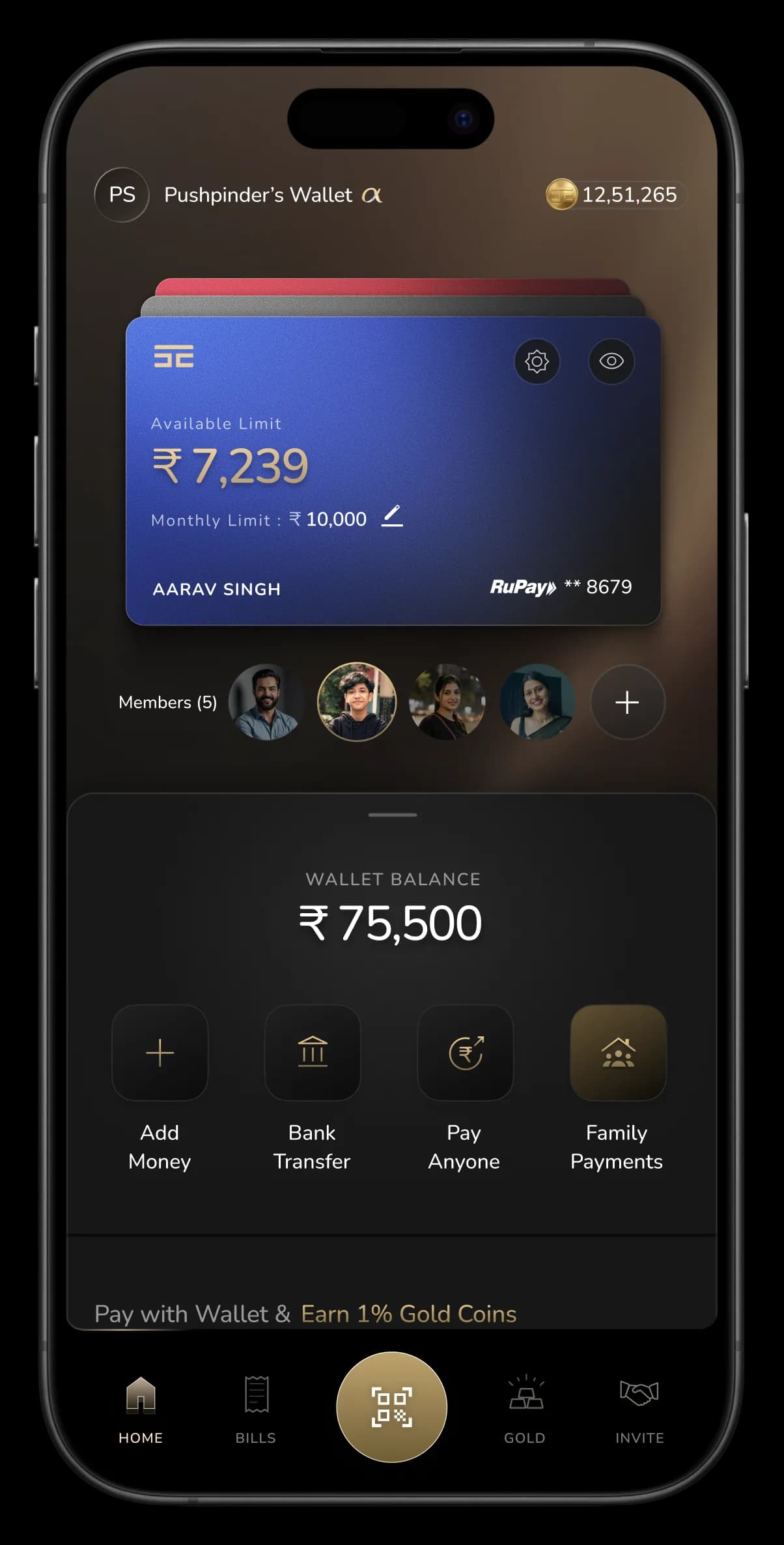
Family Payments turns the wallet into a shared one: a primary member extends part of their limit to dependents, a parent funding a child, and controls the cap for each.
Here's what mattered to me as a designer: this didn't need a new home screen. The card slot built for one person stacks every member's card in the same space, tap to expand, swipe to switch. Each card carries its own limit, editable inline. The structure from the first screen absorbed an entire multi-user model without redrawing a single section. That's the test of a layout, not whether it looks right today, but whether it holds when the product grows.
Scroll →
Adding Money: simple task, hard to do
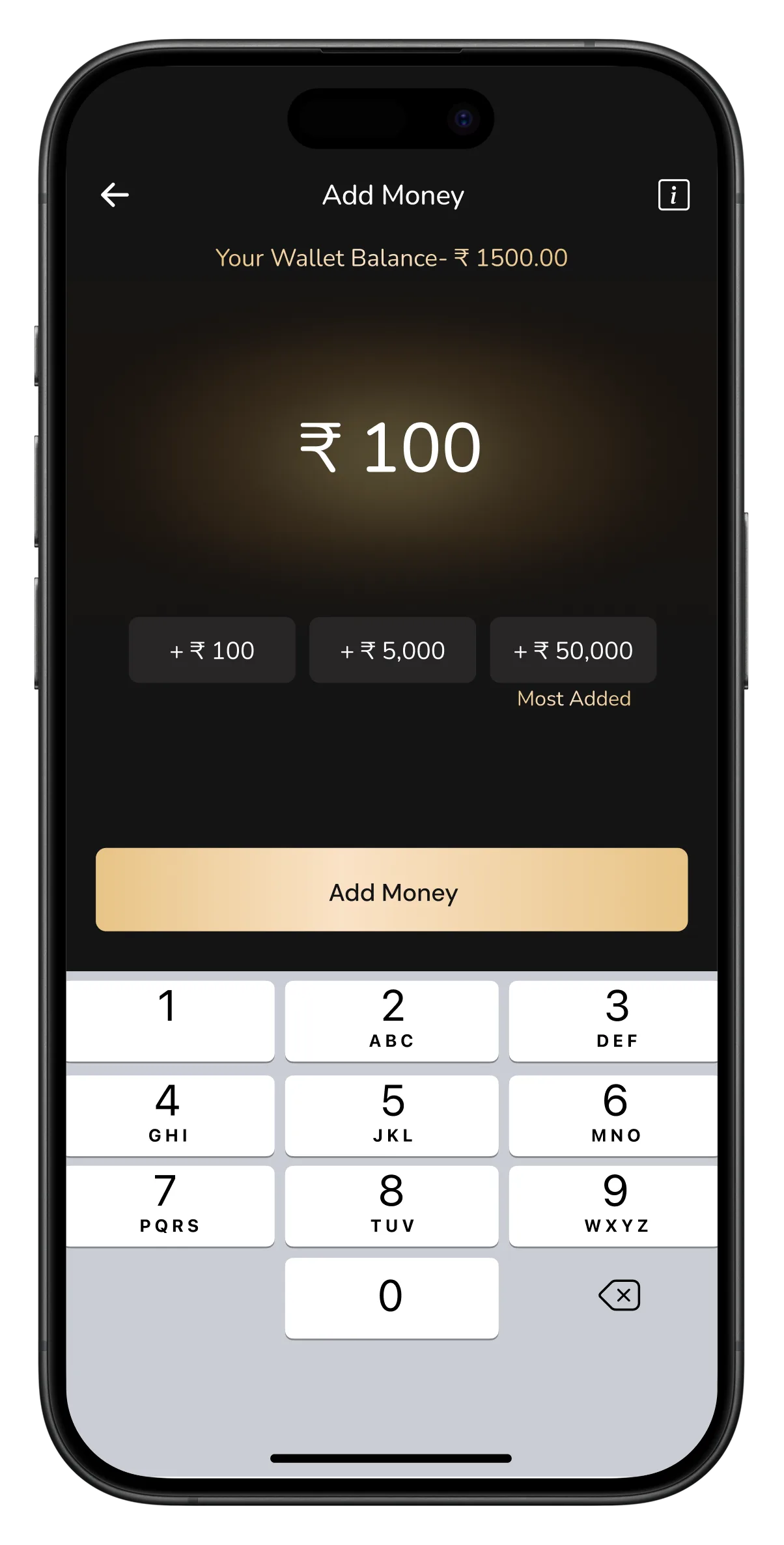
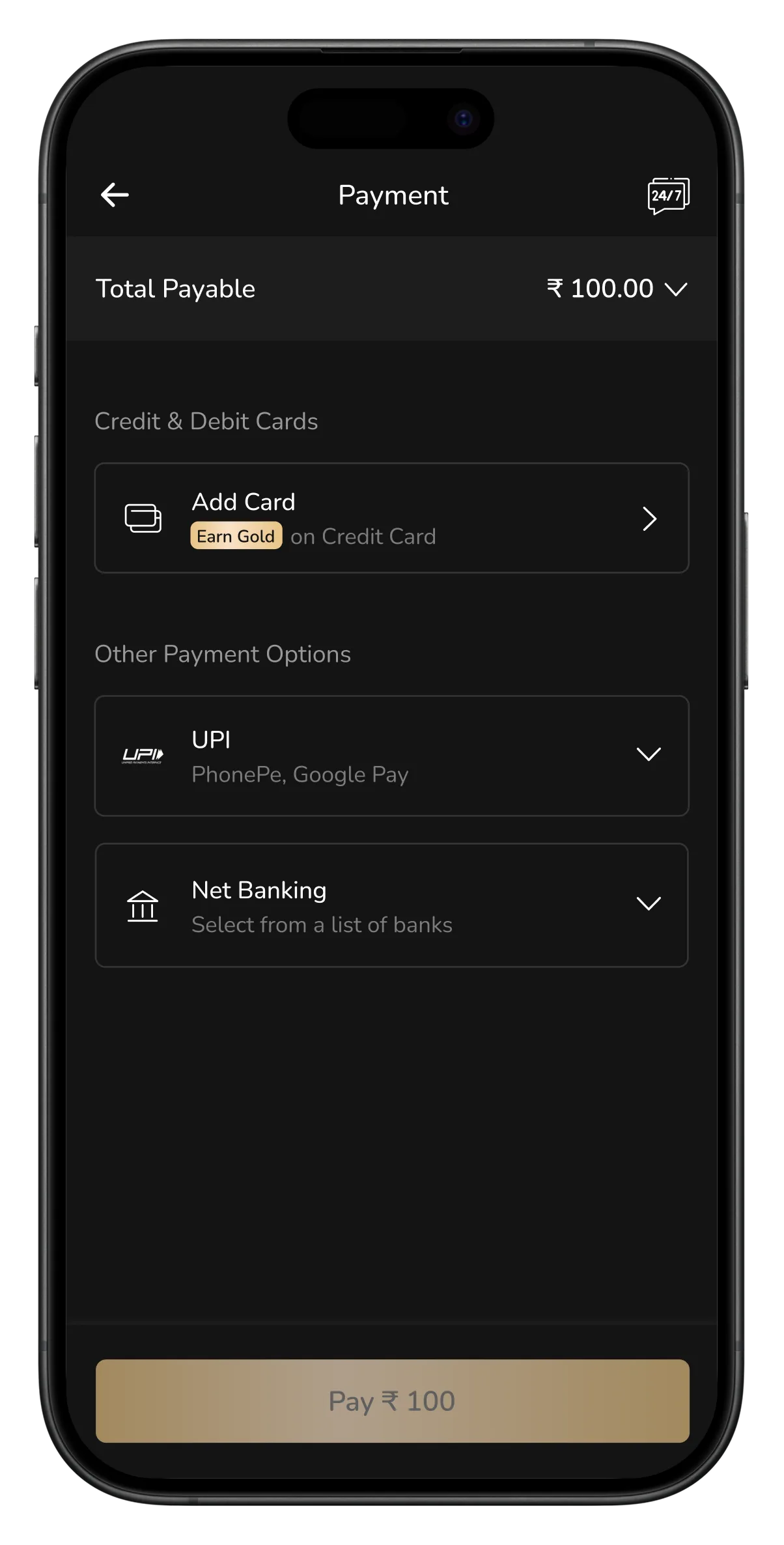
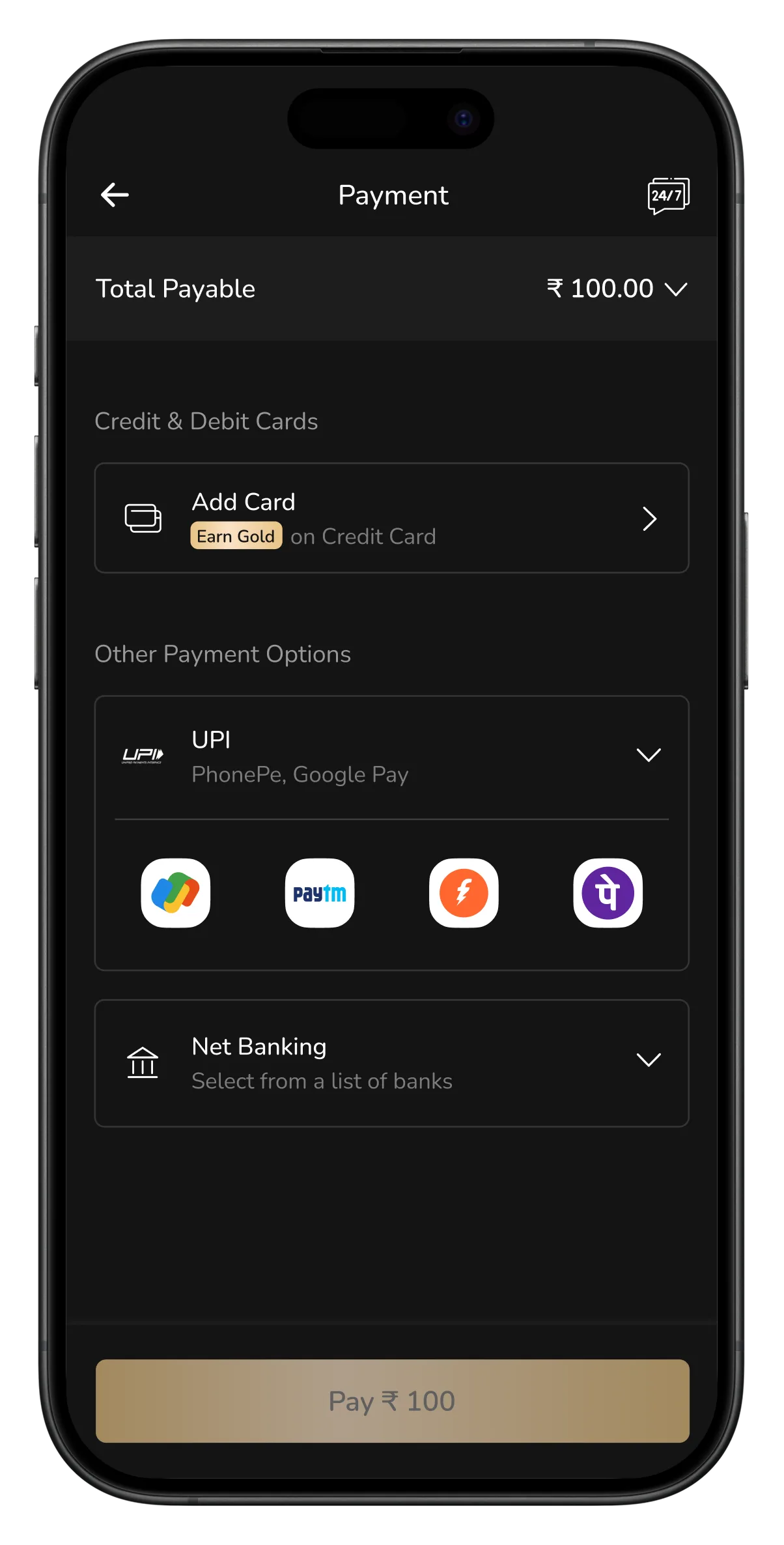
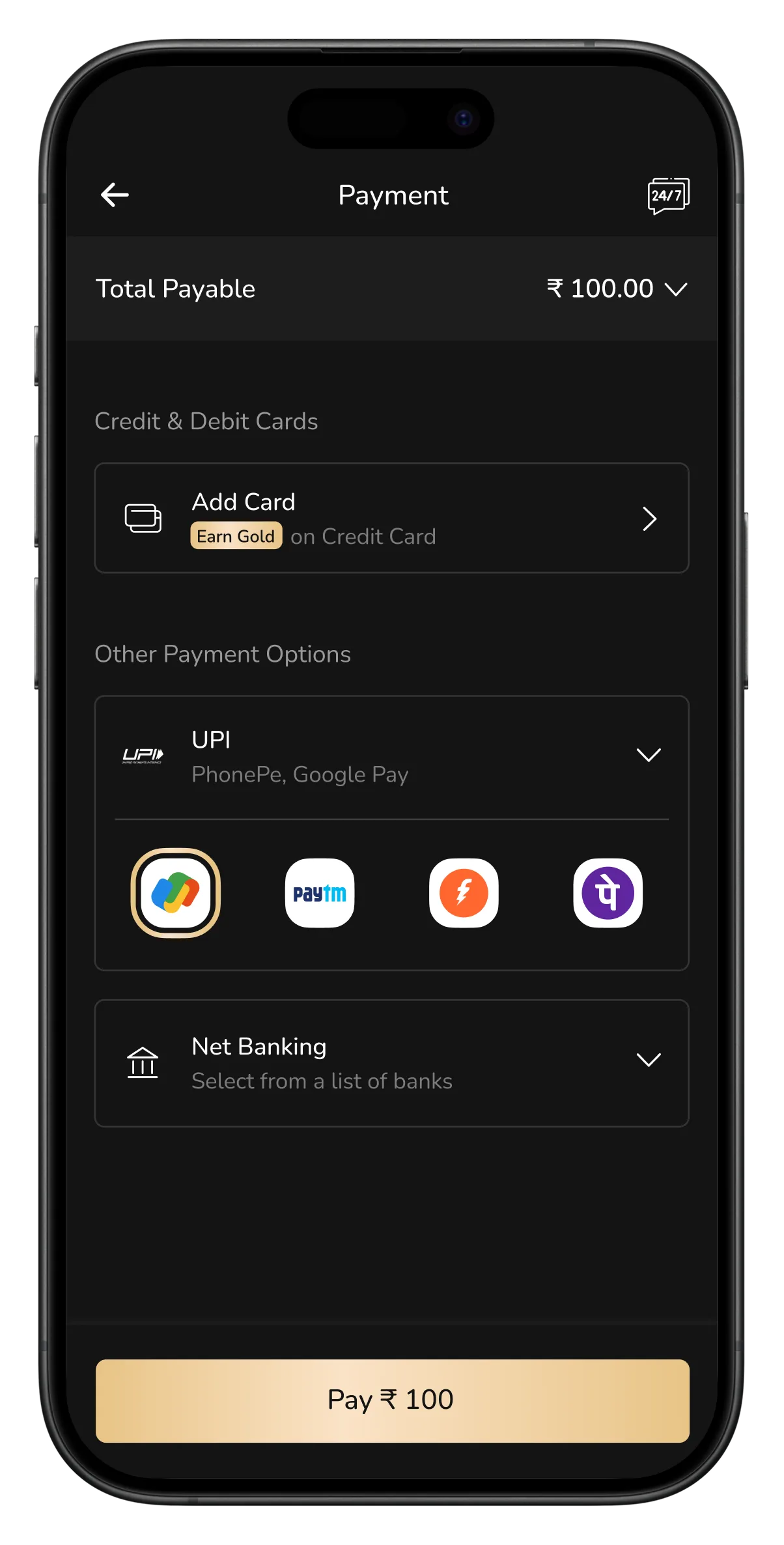
Adding money is the thing people do most, and the old flow treated every top-up like a first time. Tap Add Money, land on a payment gateway, pick a method, pick an app, get redirected out, same seven steps whether it's your first ₹100 or your fiftieth. The flow remembered nothing: no preferred method, no "pay with GPay again," no shortcut for the habit it had already watched you build. And it looked the part, dated screens, heavy gateway UI that felt bolted on rather than built in. A repeating action should get shorter the more you repeat it.
Scroll →
Home screen
Add money screen
Payment Gateway opens every time
User select payment method (here UPI)
Selecting UPI App (Gpay)
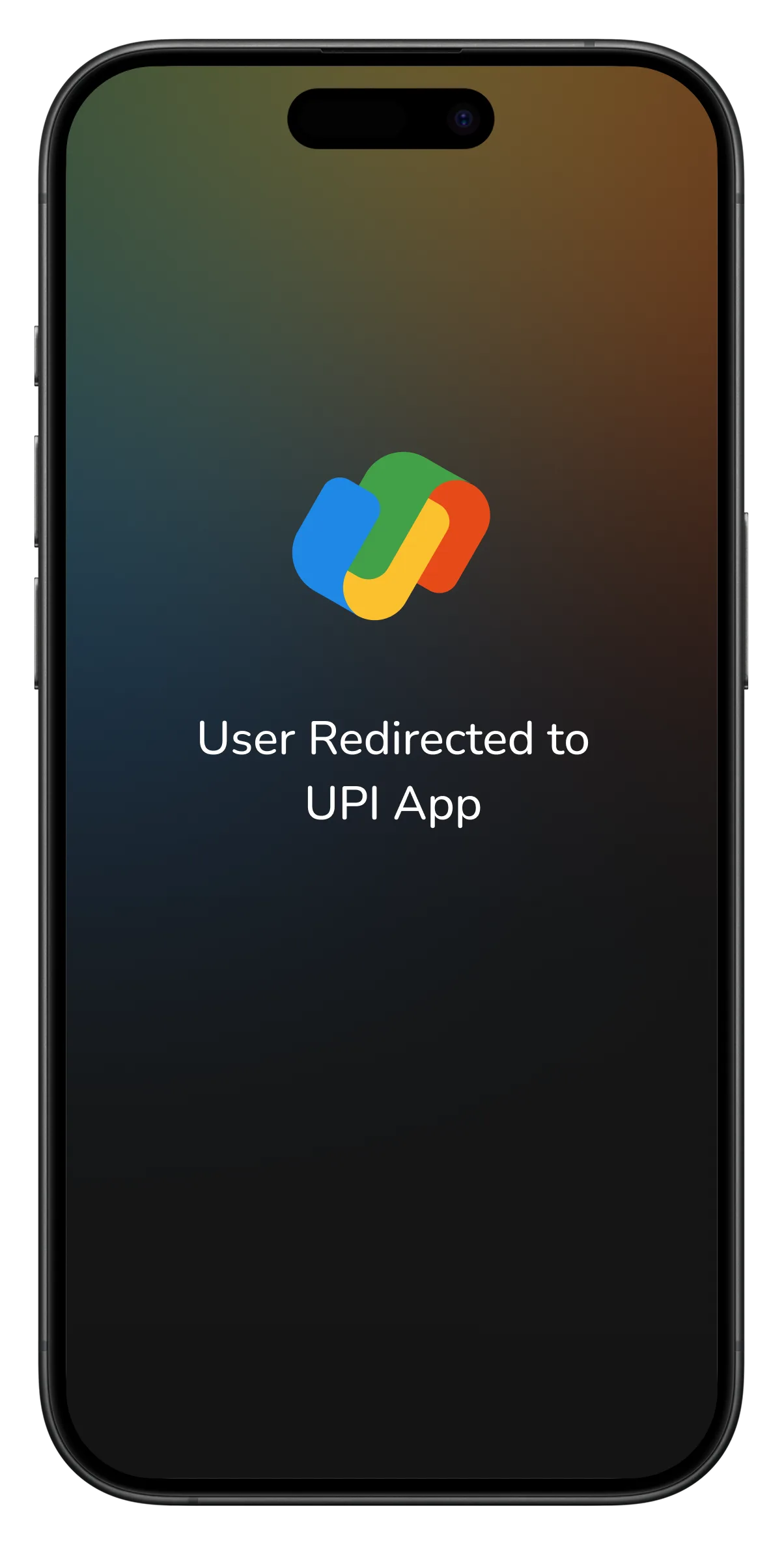
Redirecting to UPI App
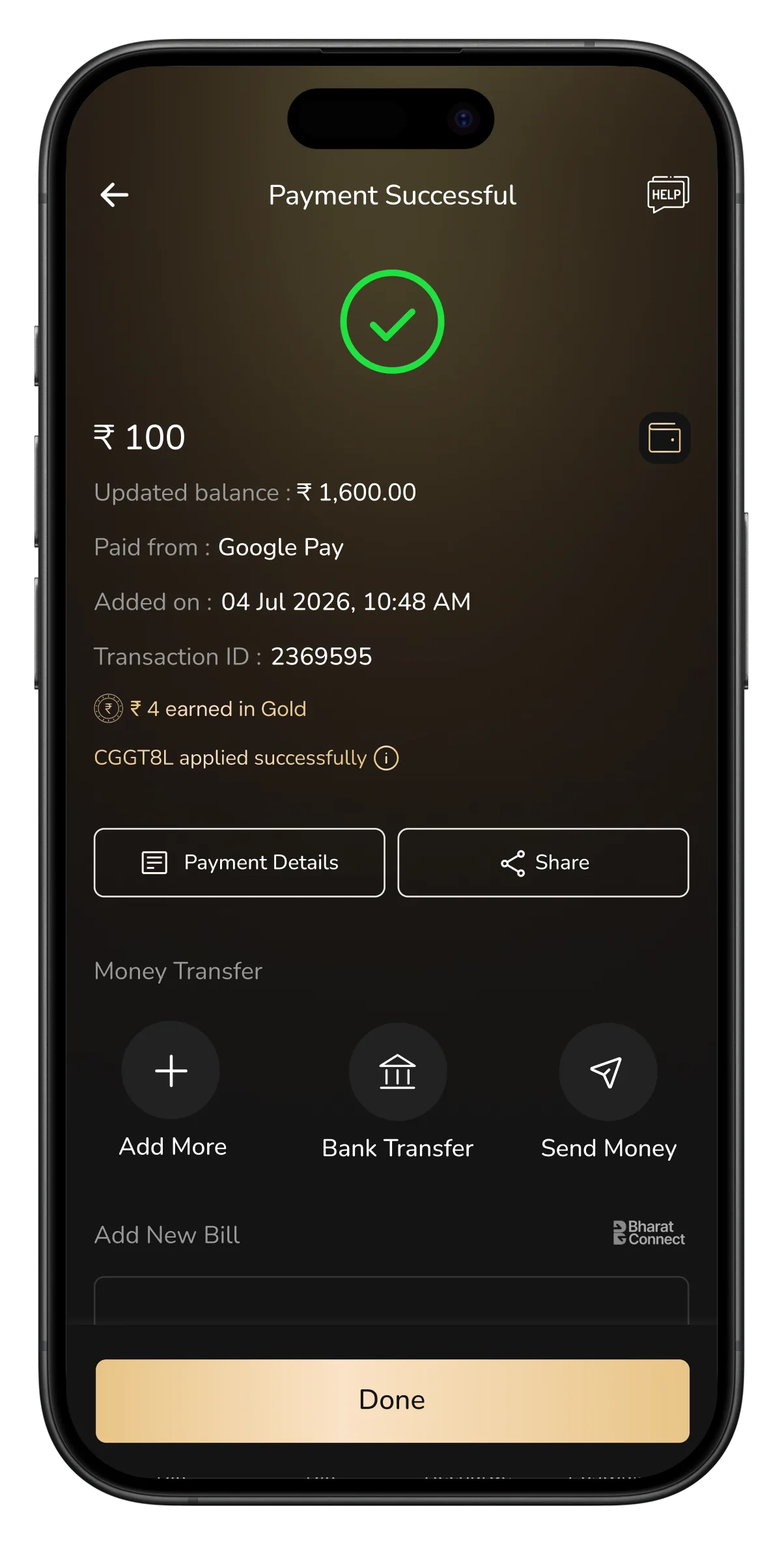
Success Screen
Enter amount. Confirm. Done.
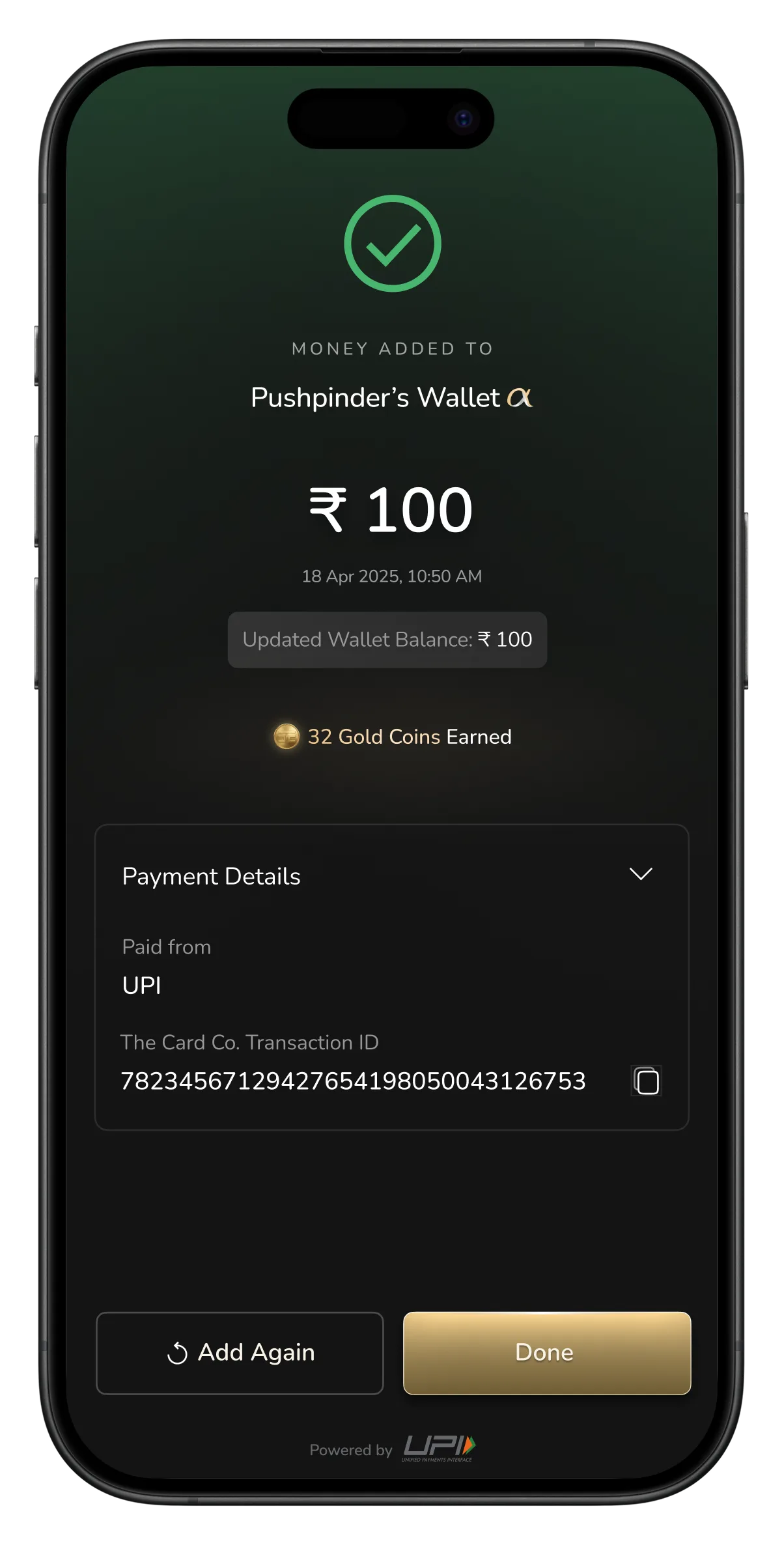
For a repeat user, the gateway is gone. The amount screen now carries the last-used method right on it, enter the amount, see "pay using Google Pay," confirm. No method list, no app picker, no separate checkout. The one redirect that has to happen, UPI mandates it, is the only step left that leaves the app, and the user lands back on a success screen that confirms the new balance, not just the payment. Seven steps became four. The flow finally acts like it's seen you before.
Scroll →
Home screen
Enter amount
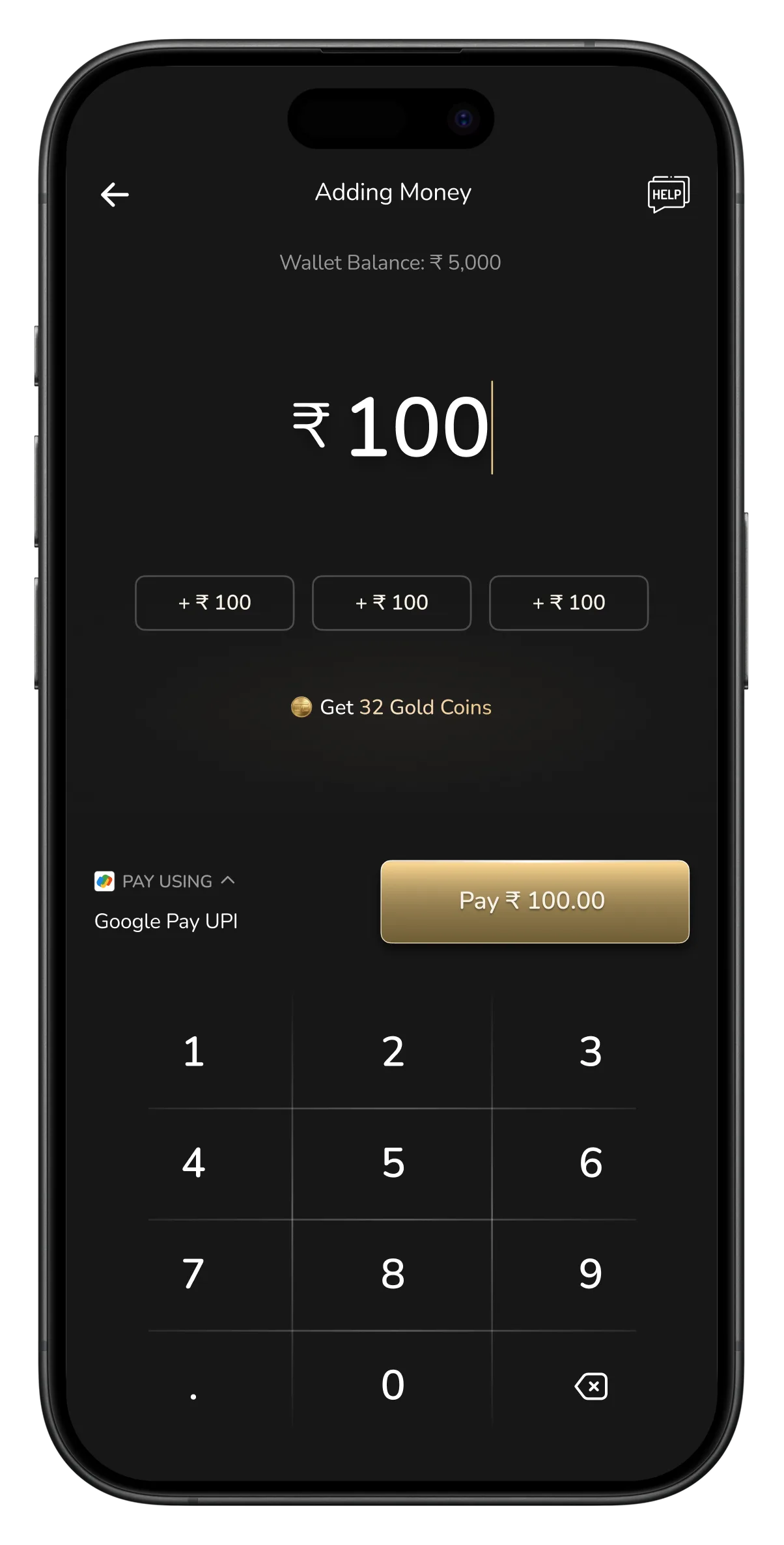
Redirecting to UPI App
Success screen
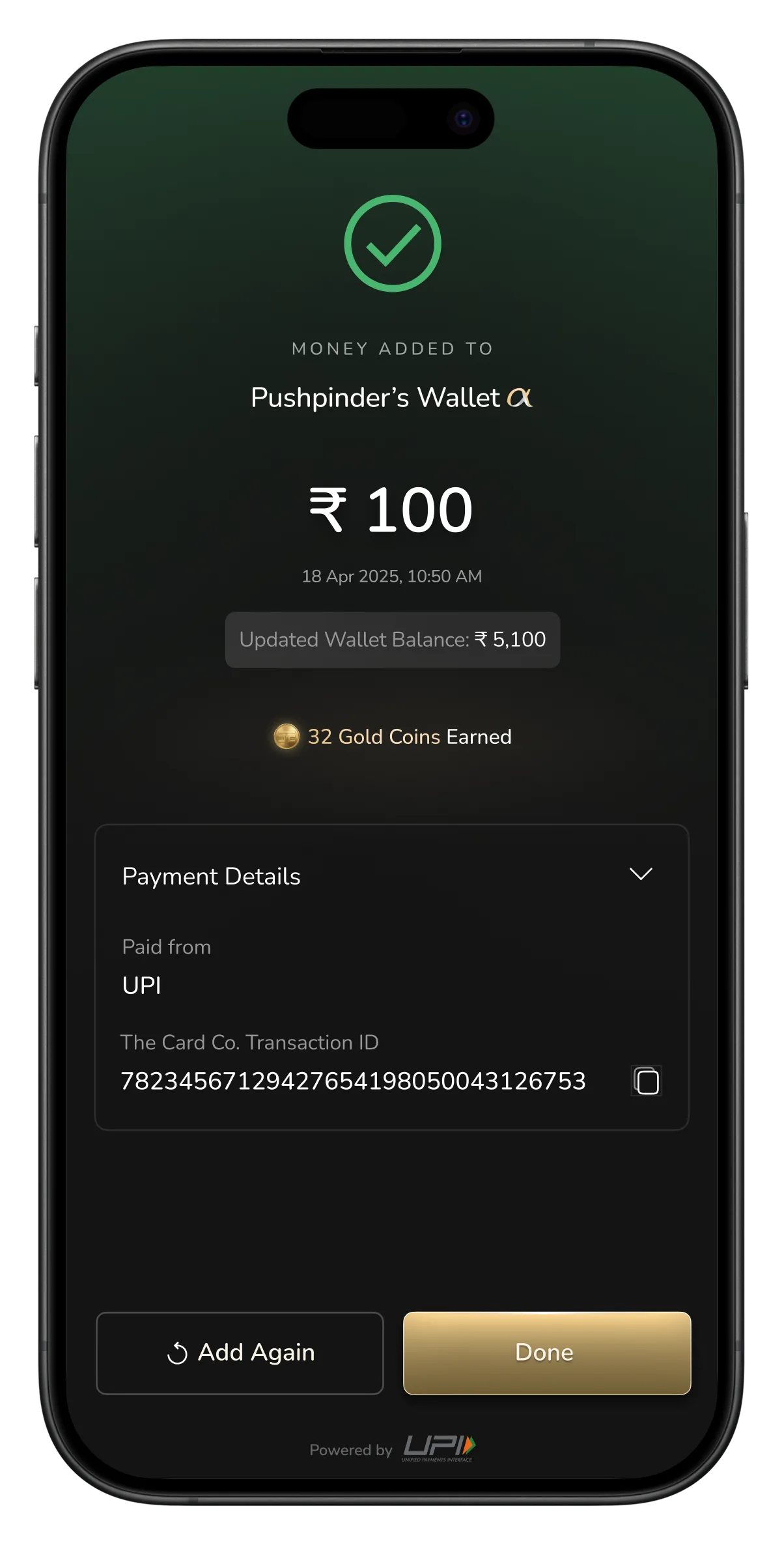
How it runs for a new user
Scroll →
Home screen
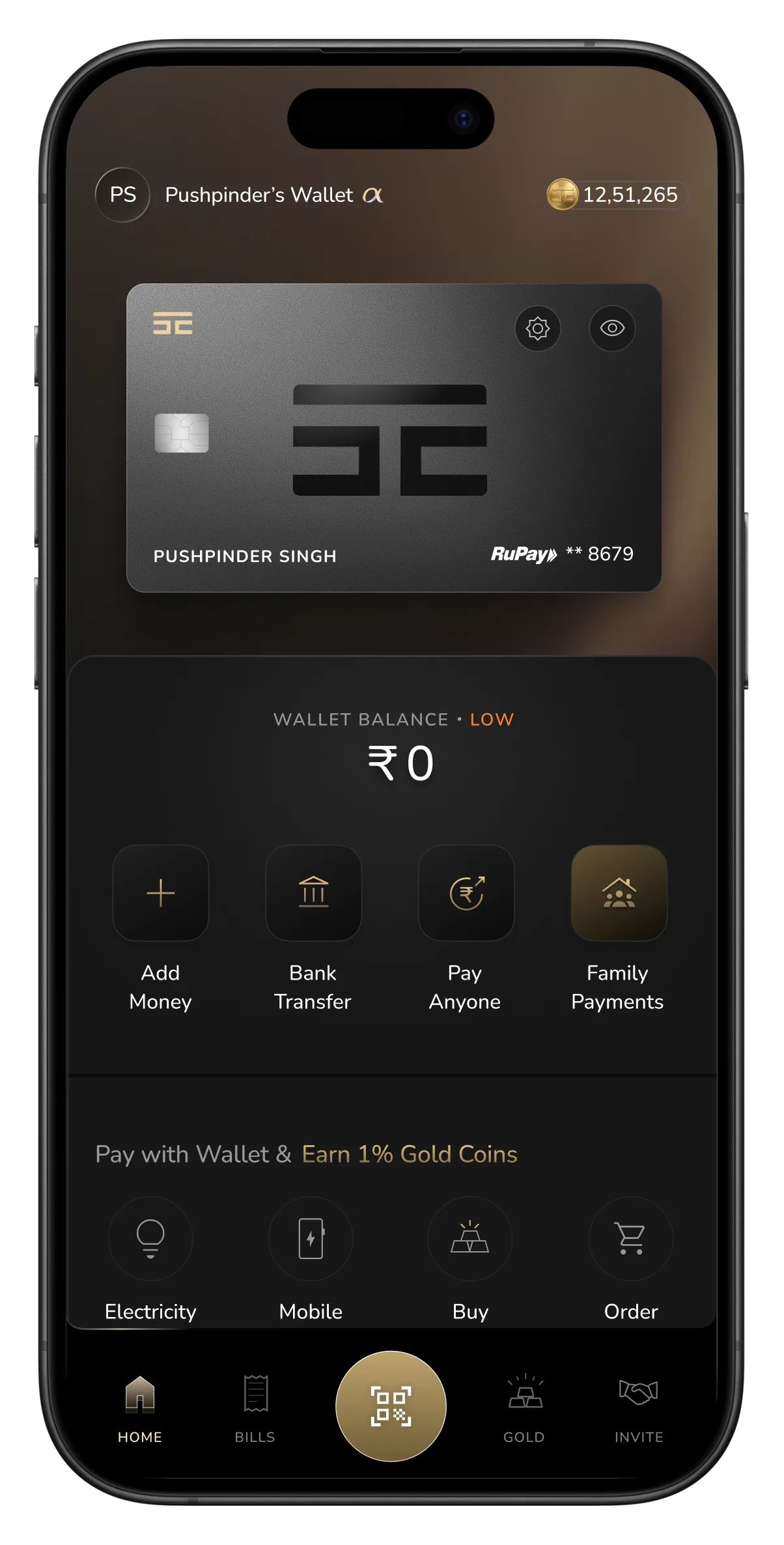
Enter amount
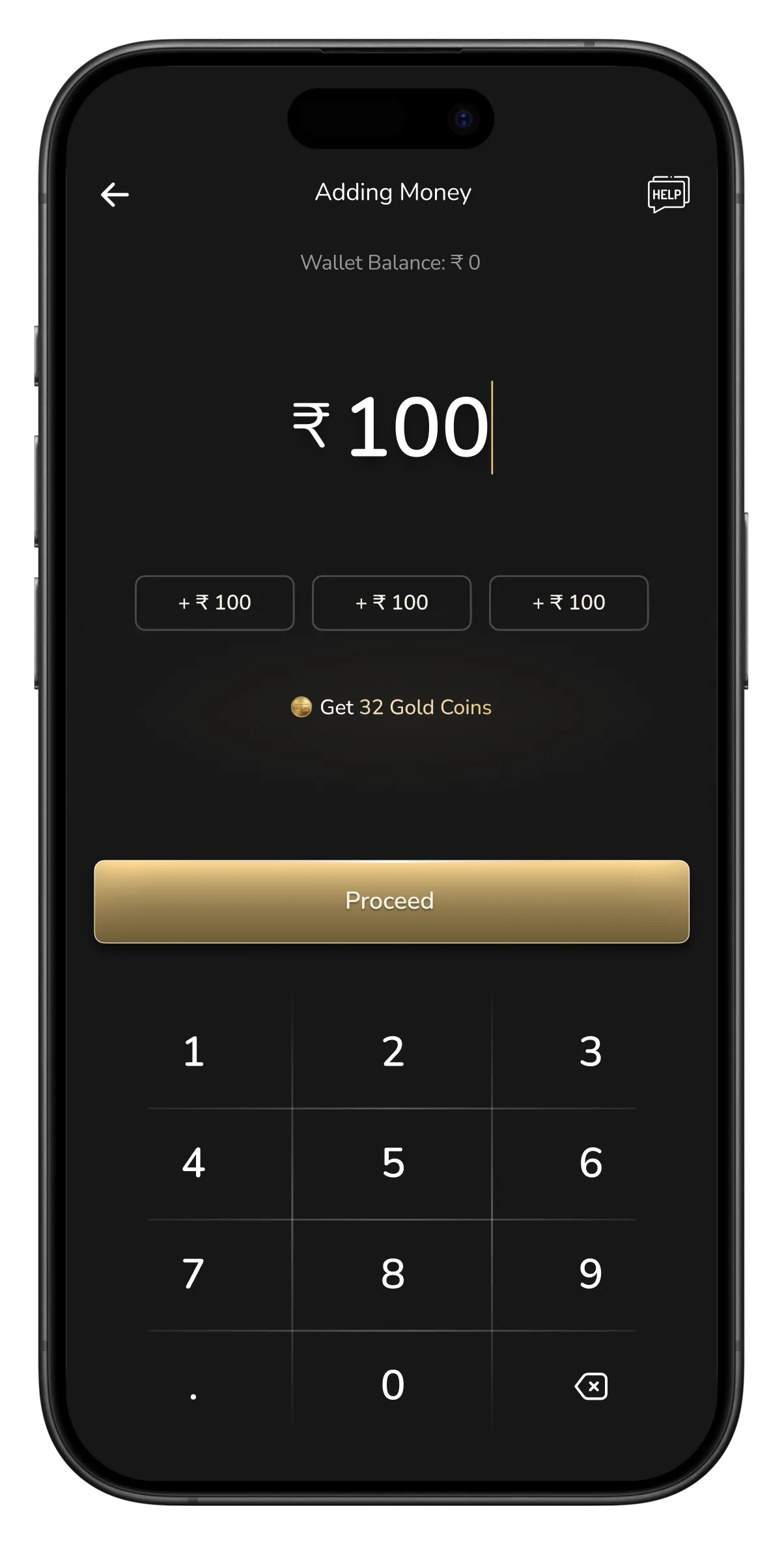
Choose payment method
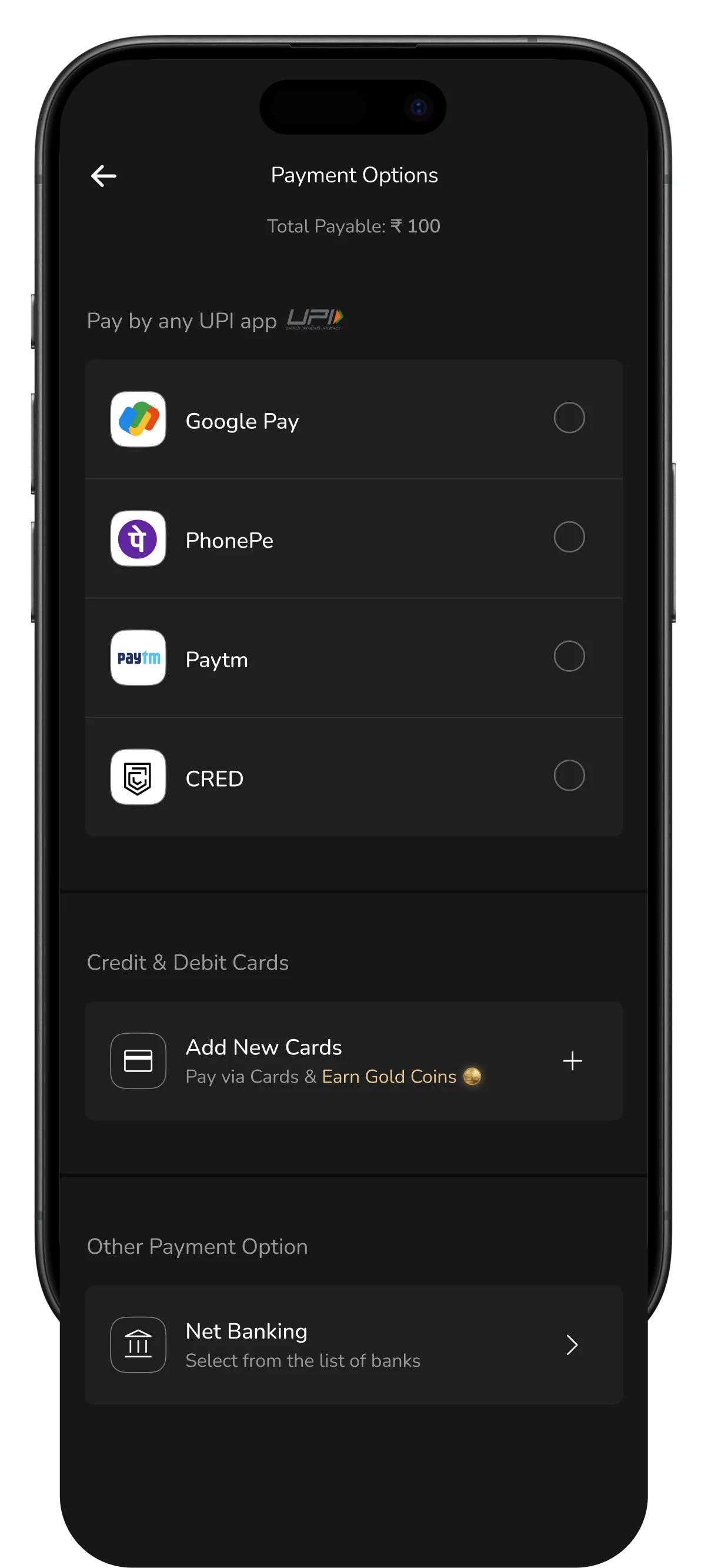
Select UPI app
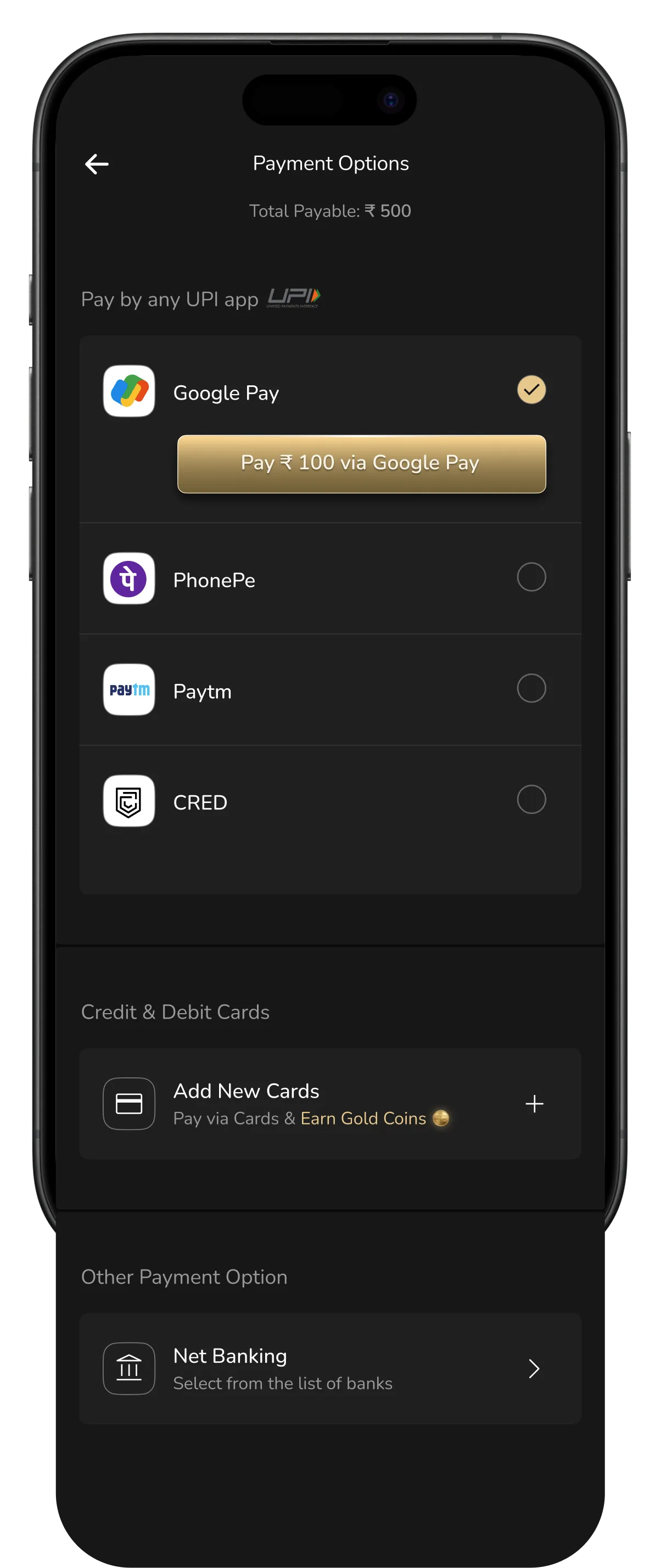
Redirecting to UPI App
Success screen
Transferring money: simple to start, a letdown at the finish
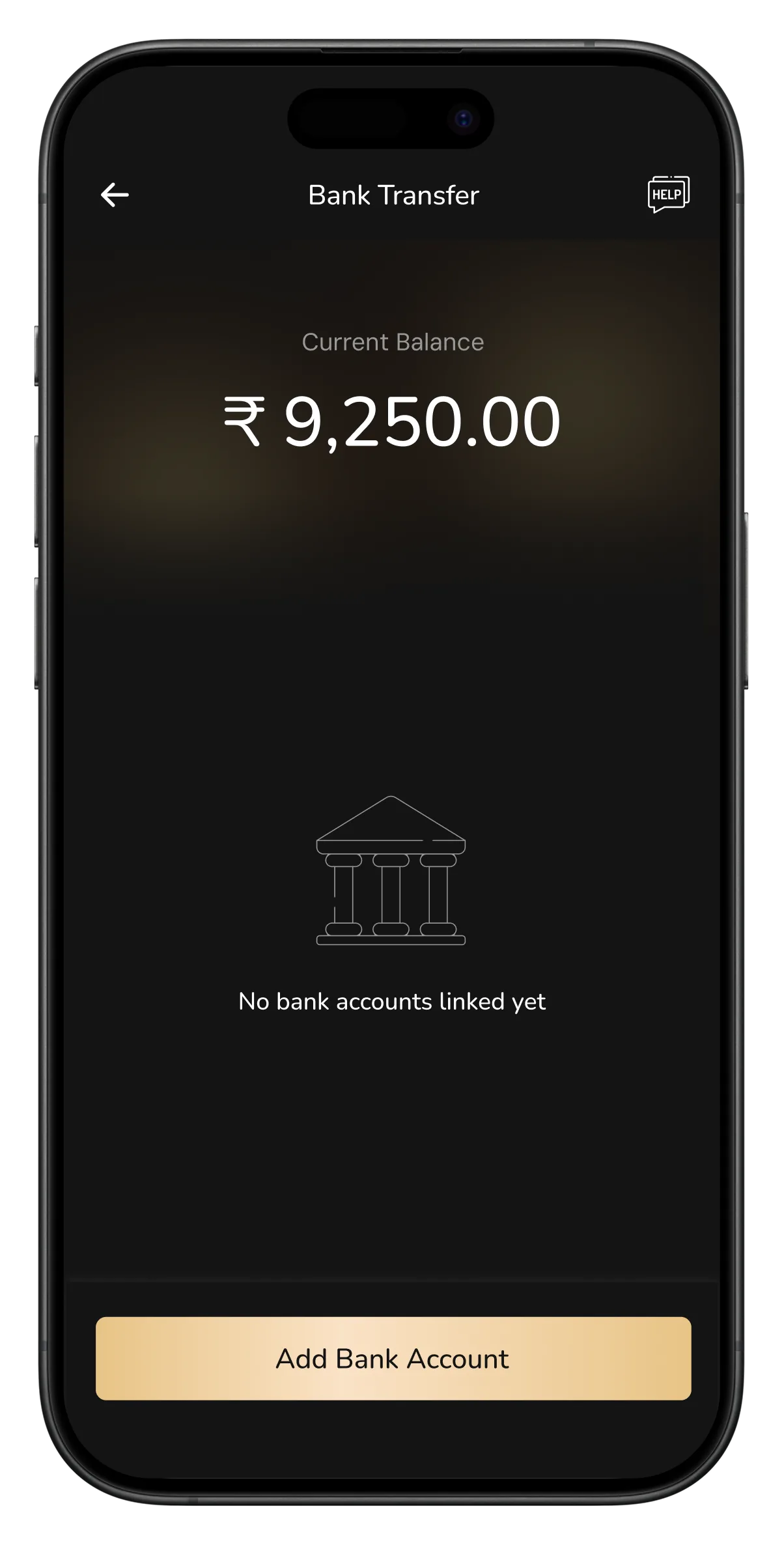
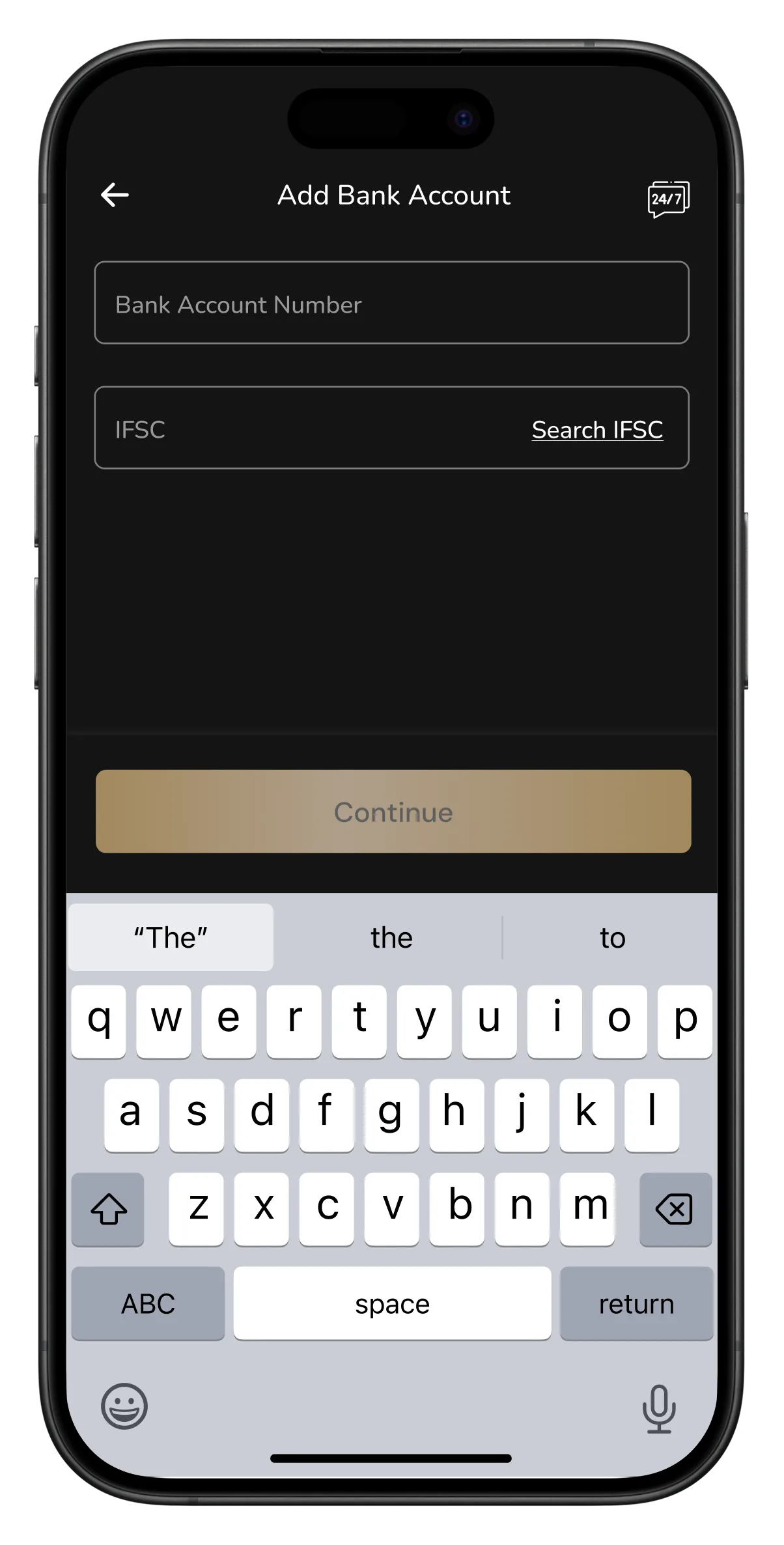
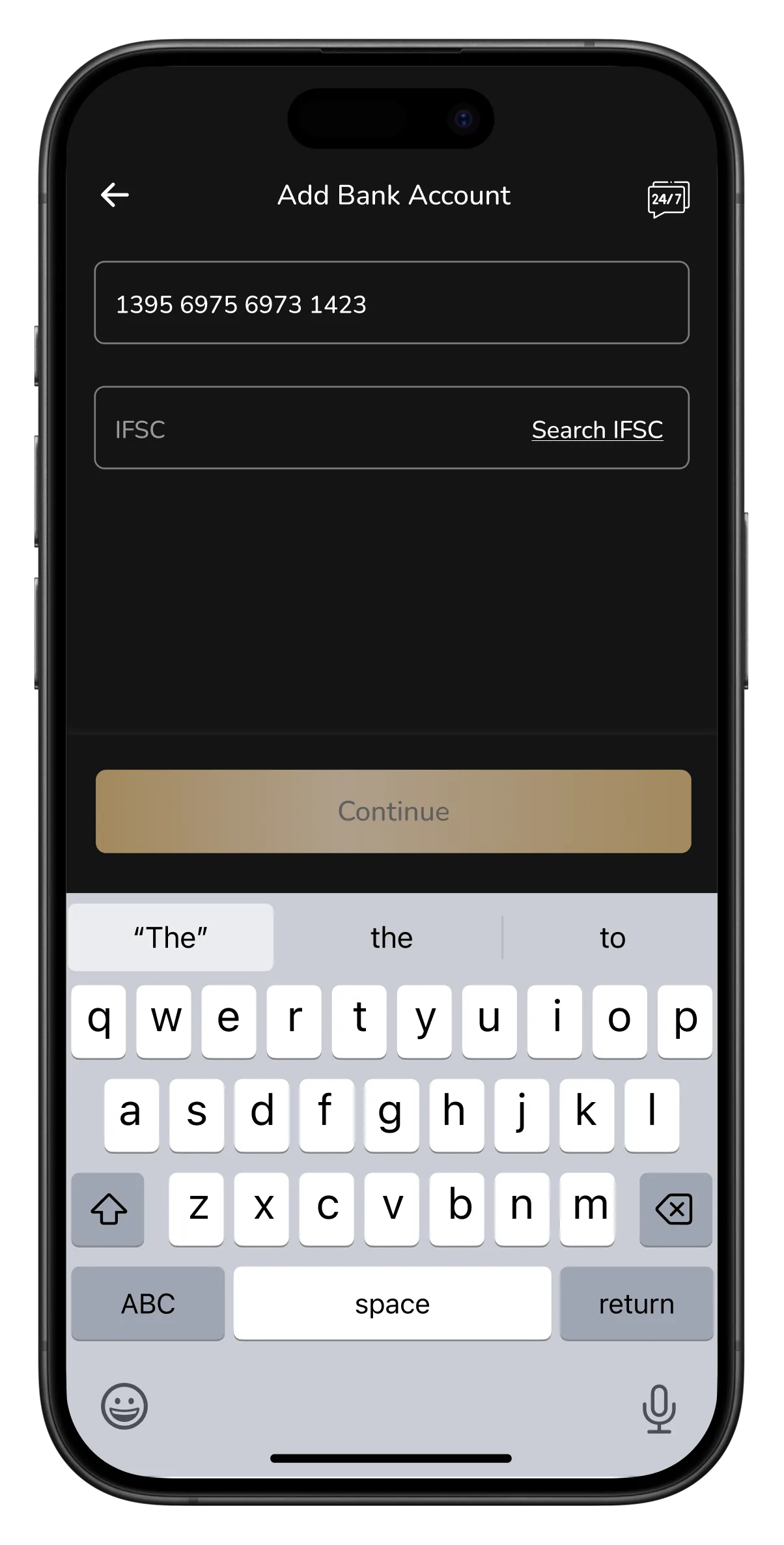
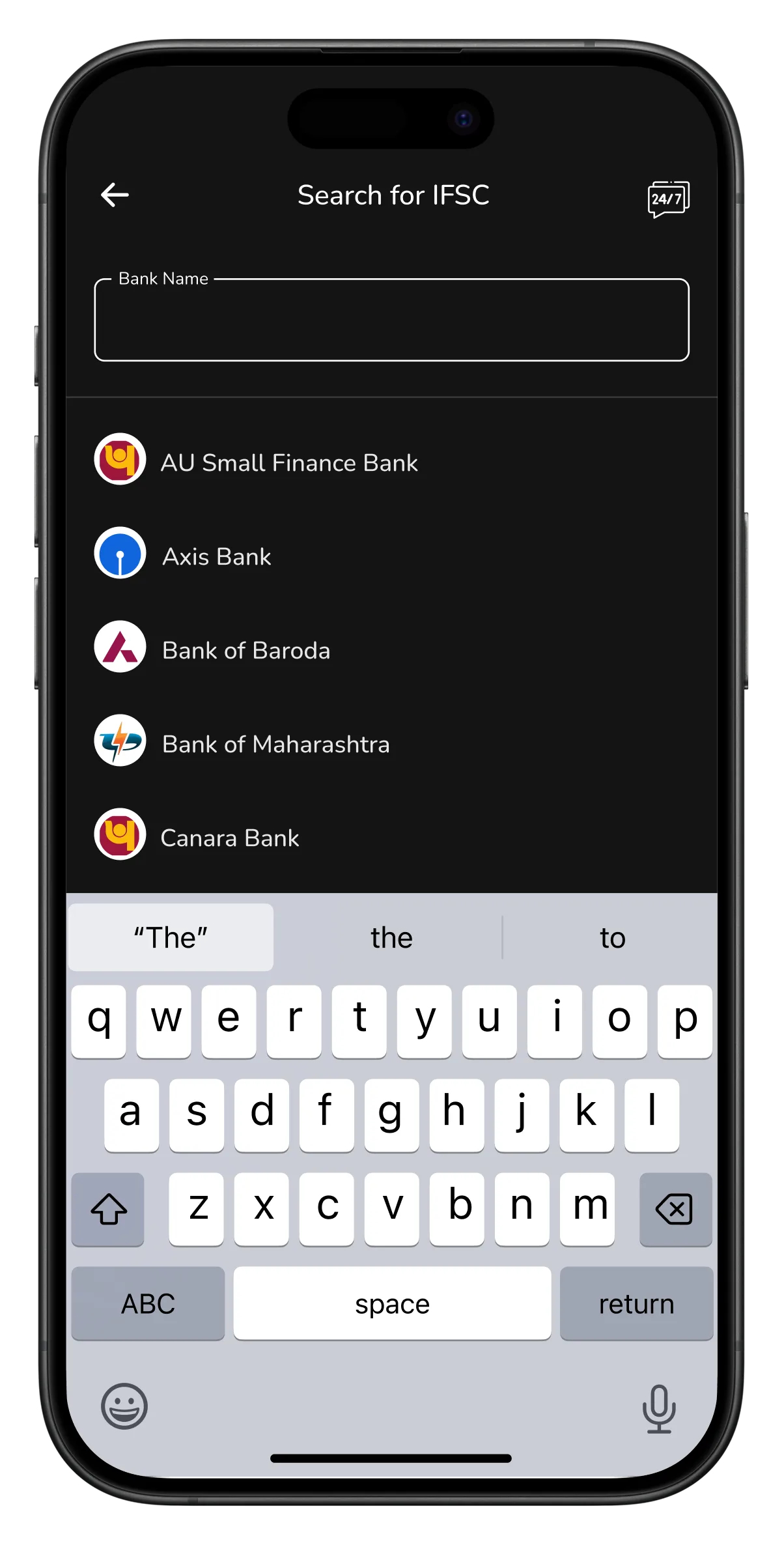
To send money, you first had to add the bank account. That meant an account number and an IFSC code, and since hardly anyone knows their IFSC, you had to leave the form, search the bank, then the branch, then bring the code back. Too much to enter for a simple transfer, and every step is a chance to give up.
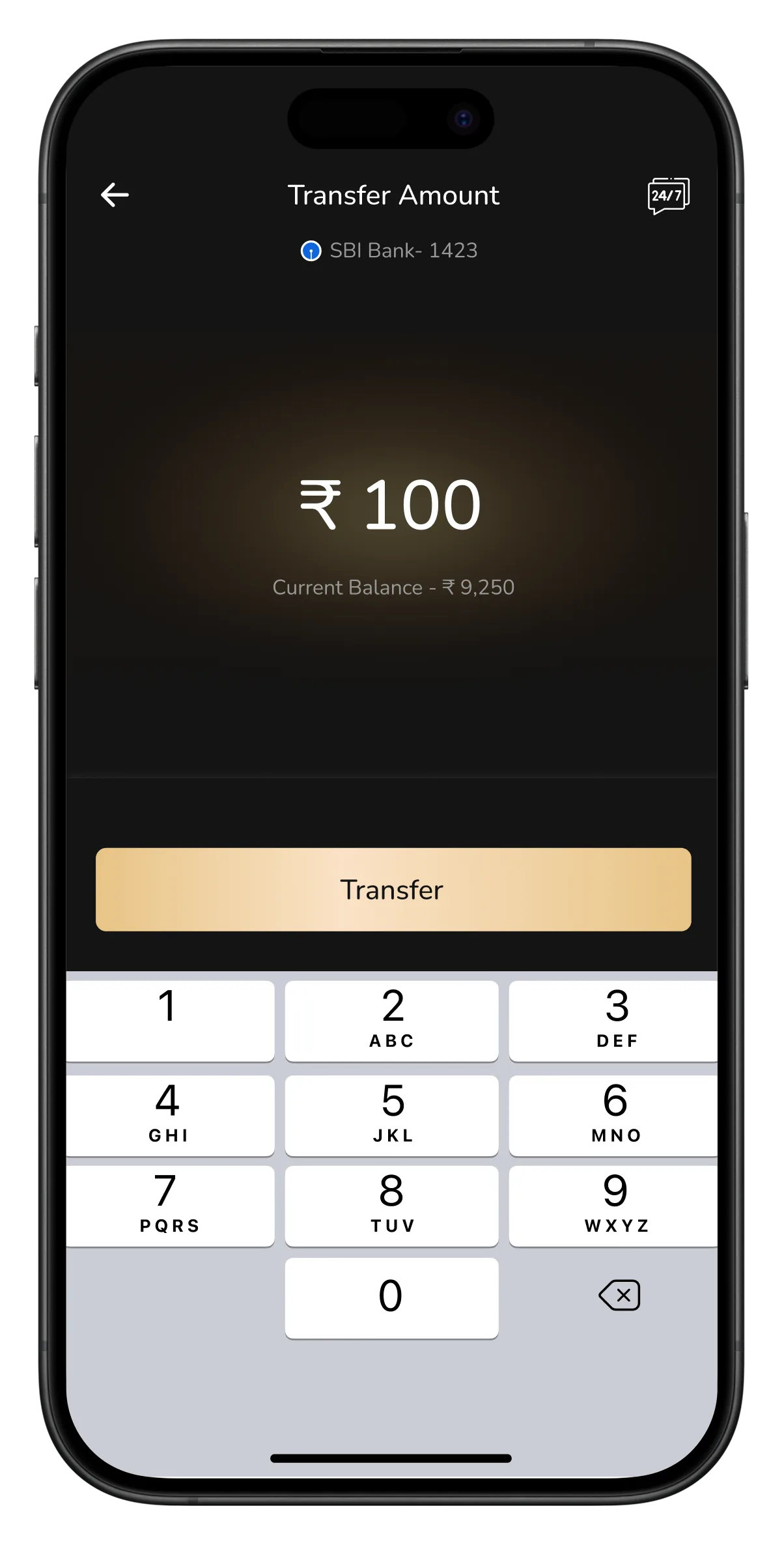
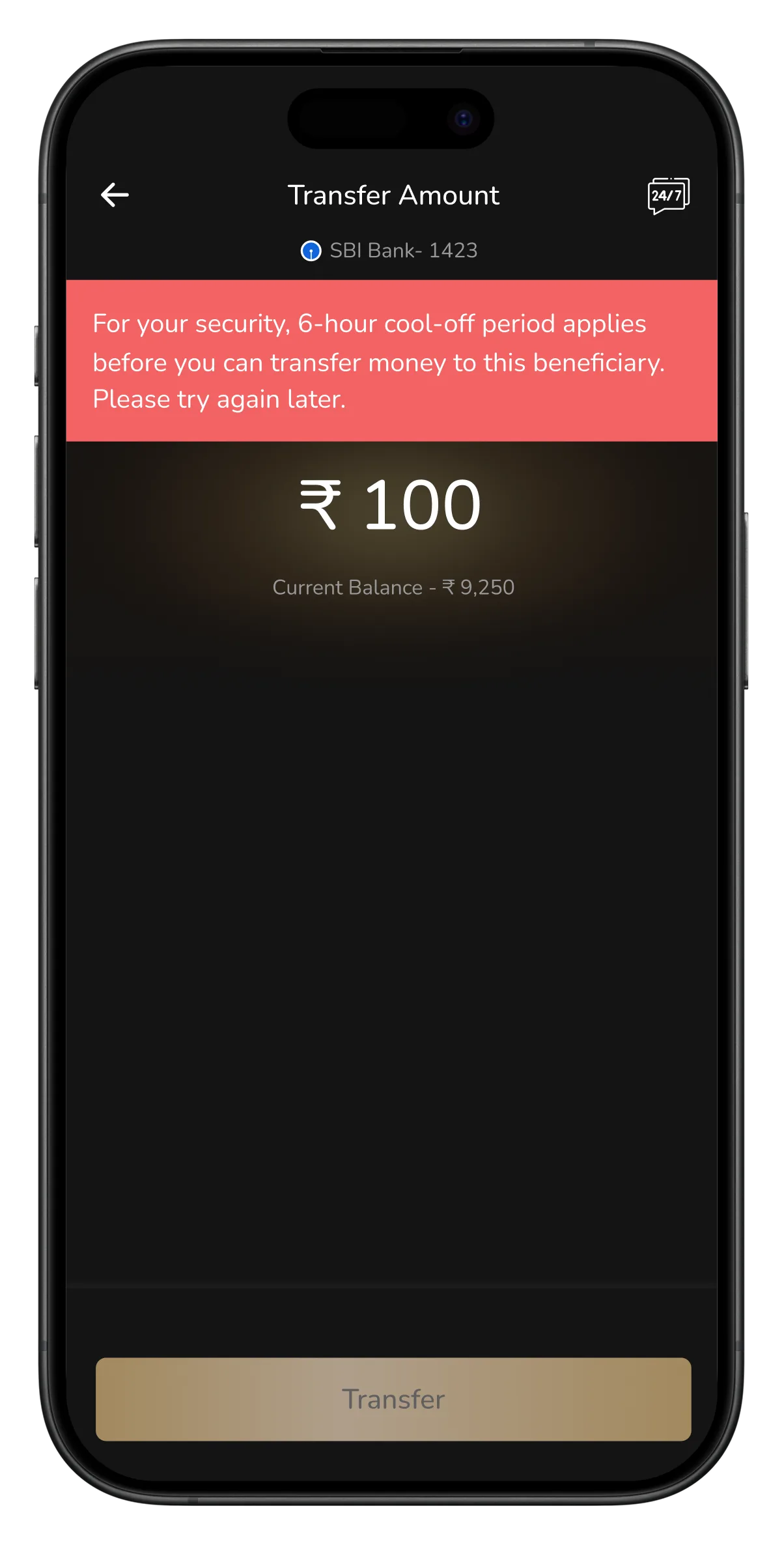
Then, once the account saved, you landed back on the home screen, not the transfer you came to make. And when you finally entered an amount, you got a red error instead of a transfer: a 6 hour cool off, try again later. A fair security rule, but shown as a failure at the last step. It asked for a lot and gave back a wall. The UI felt dated too.
Scroll →
Home screen
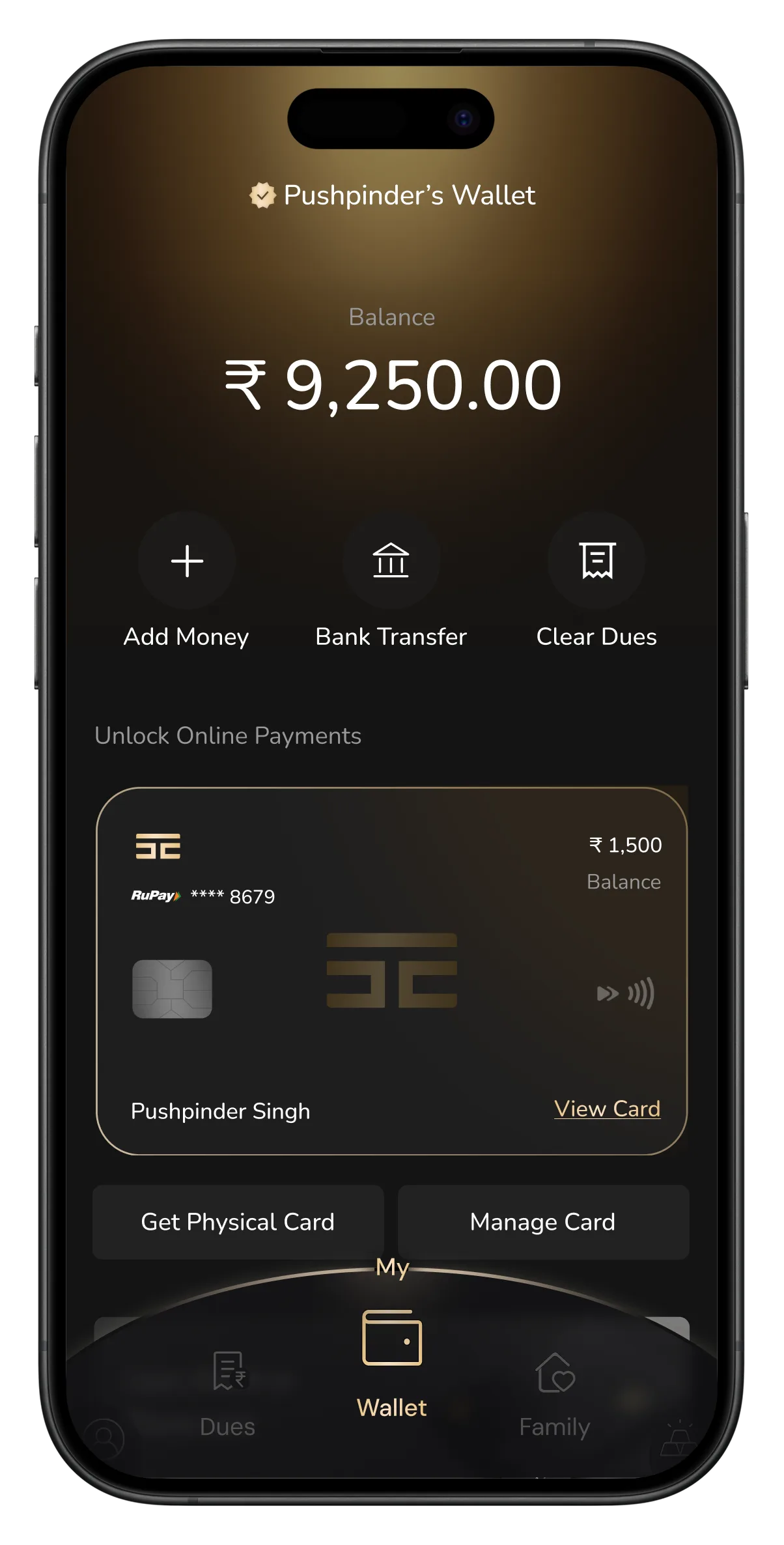
Bank Transfer (no account added)
Account number added
Search IFSC, too much to remember
Searching the bank
Searching the branch
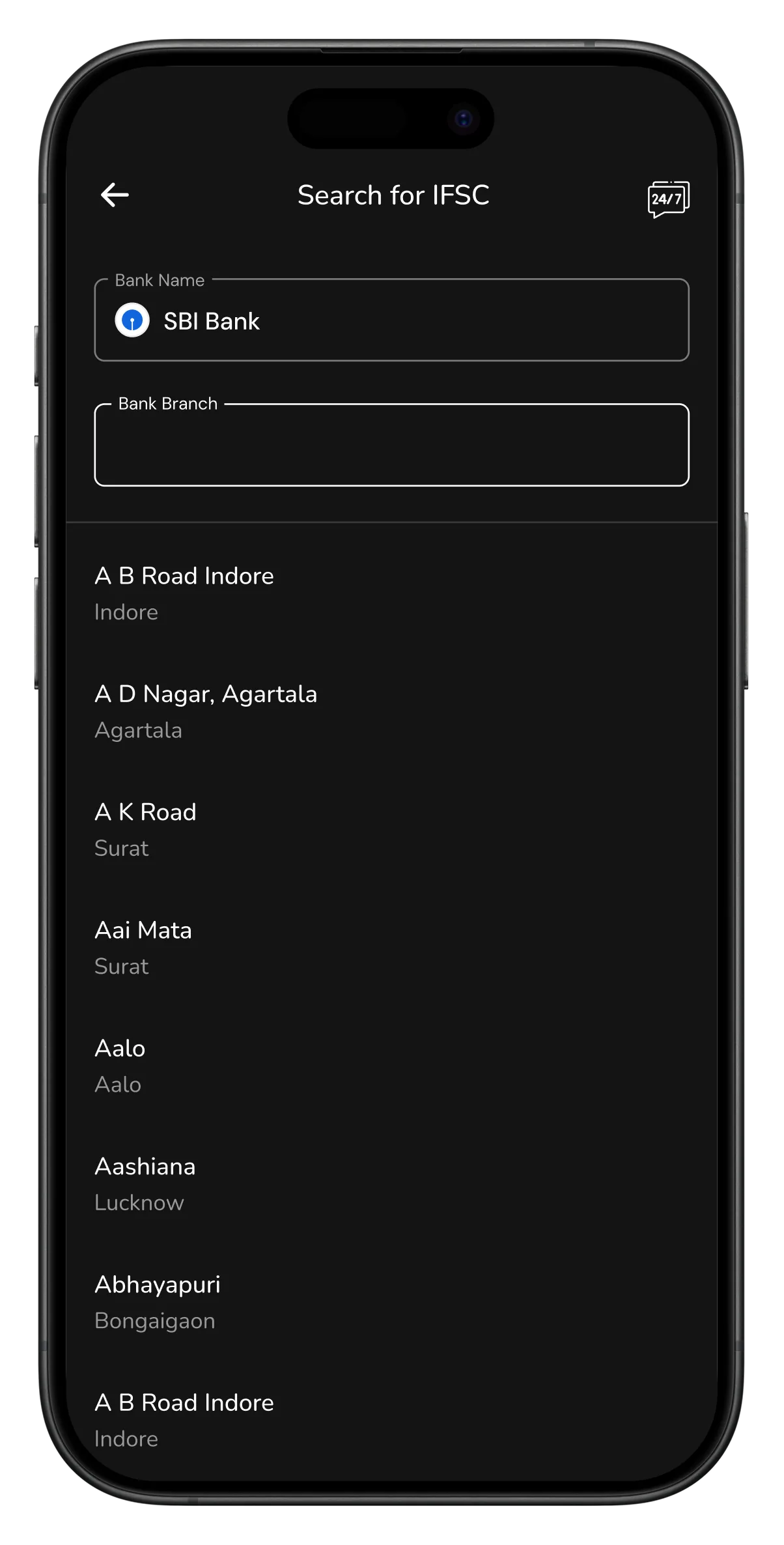
IFSC code found
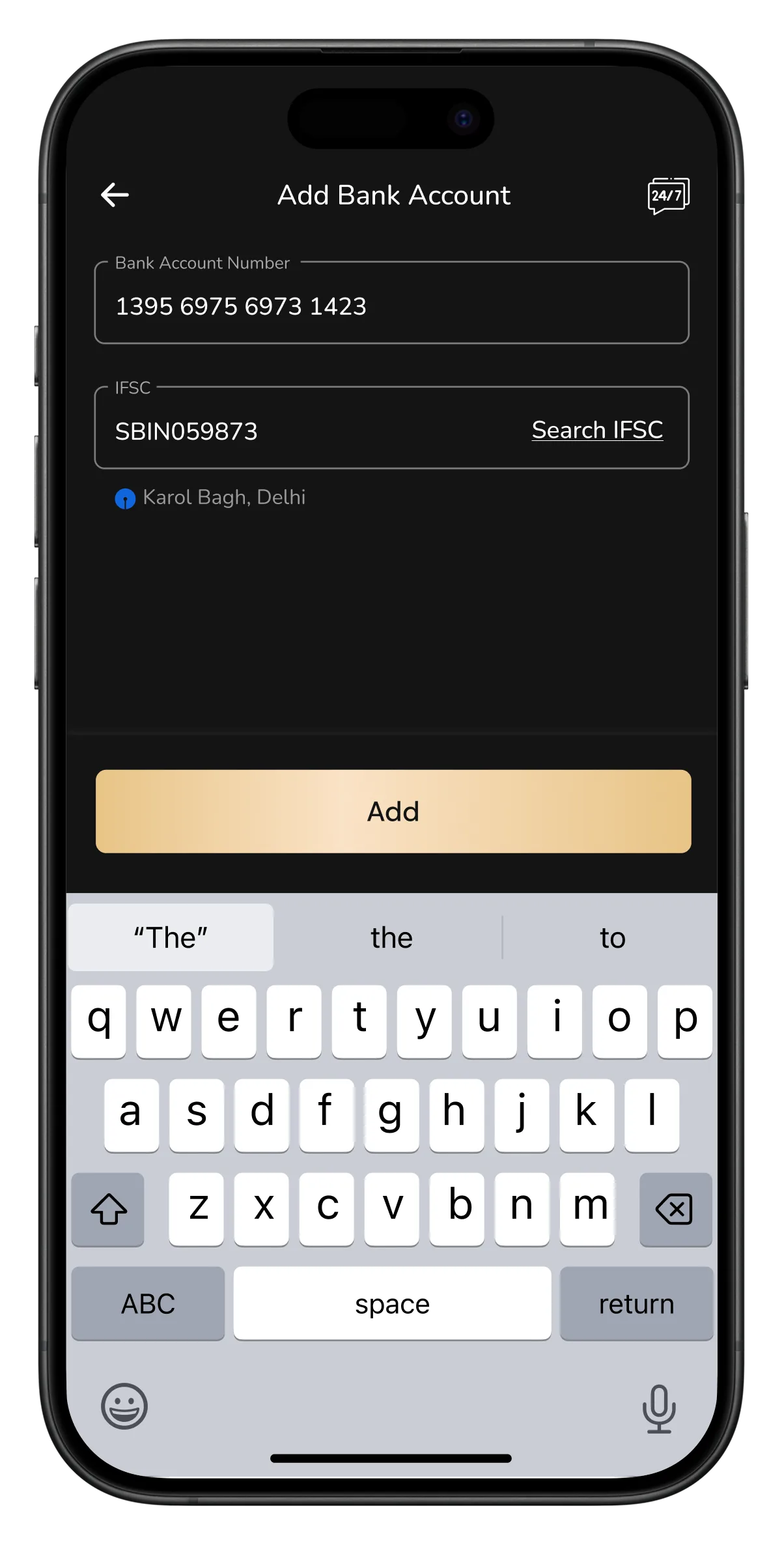
Account saved, lands on home, not transfer
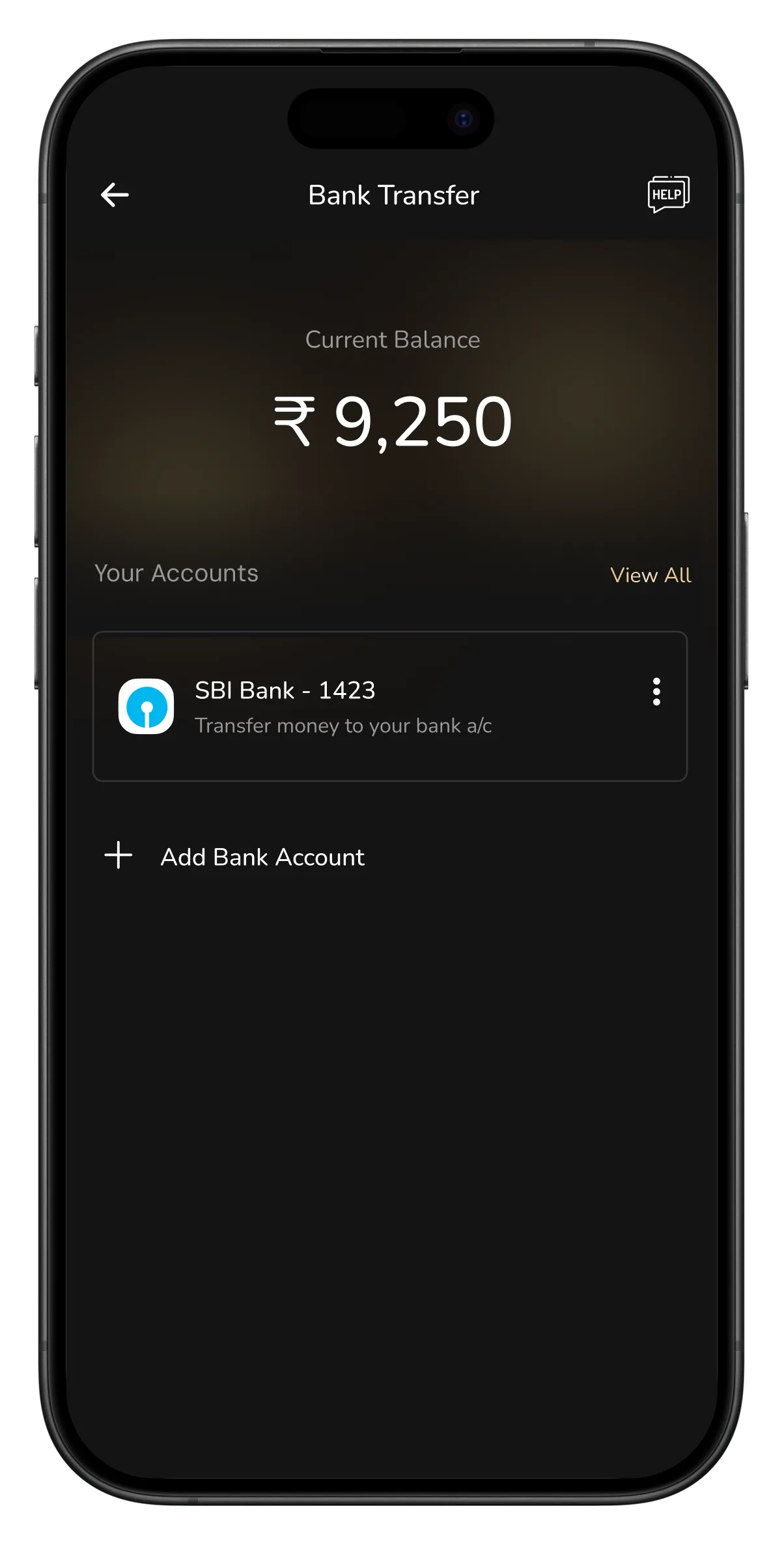
Tap account → amount screen
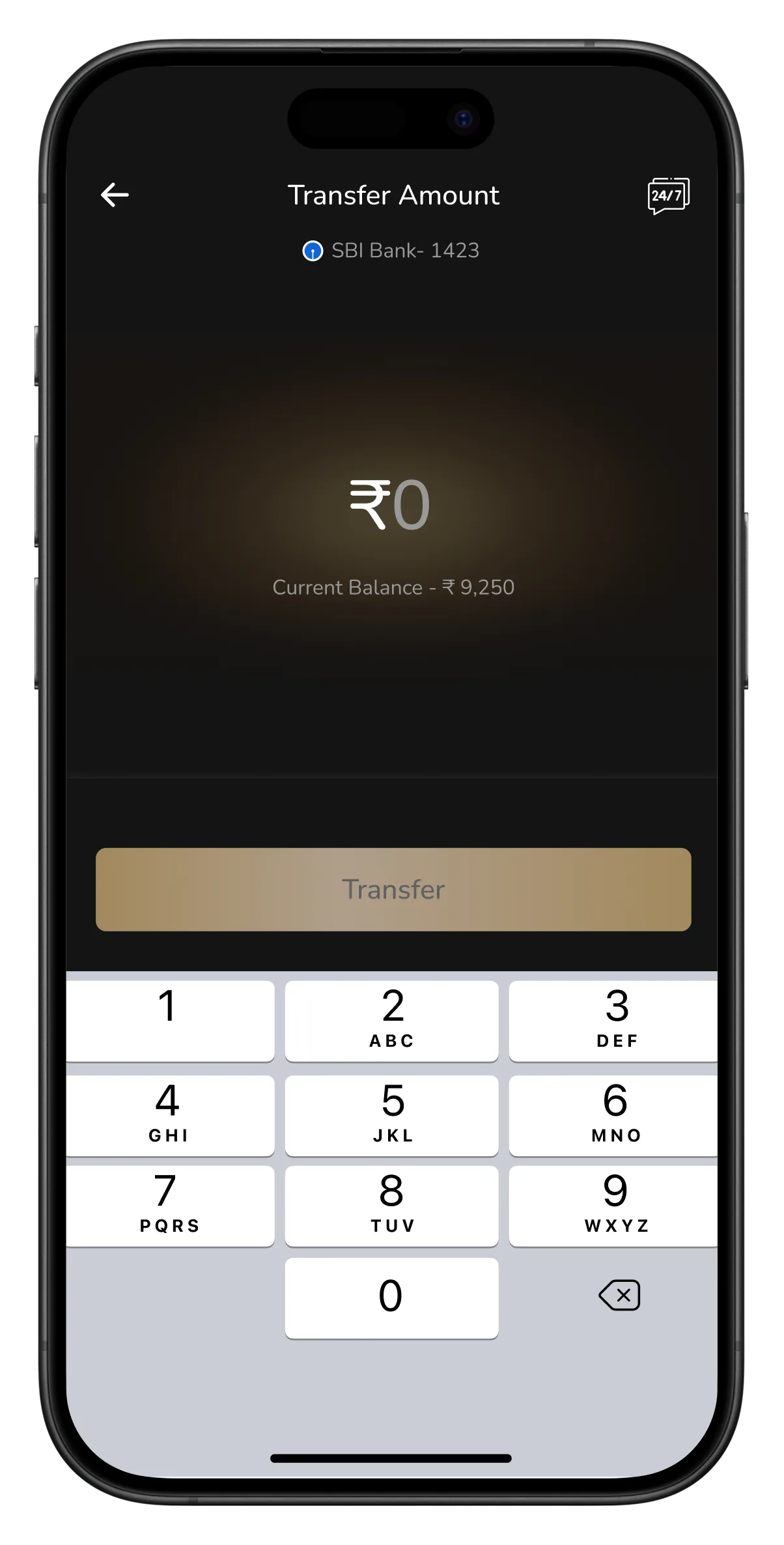
Amount entered
6-hour cool off shown as error
Now it asks what you know.
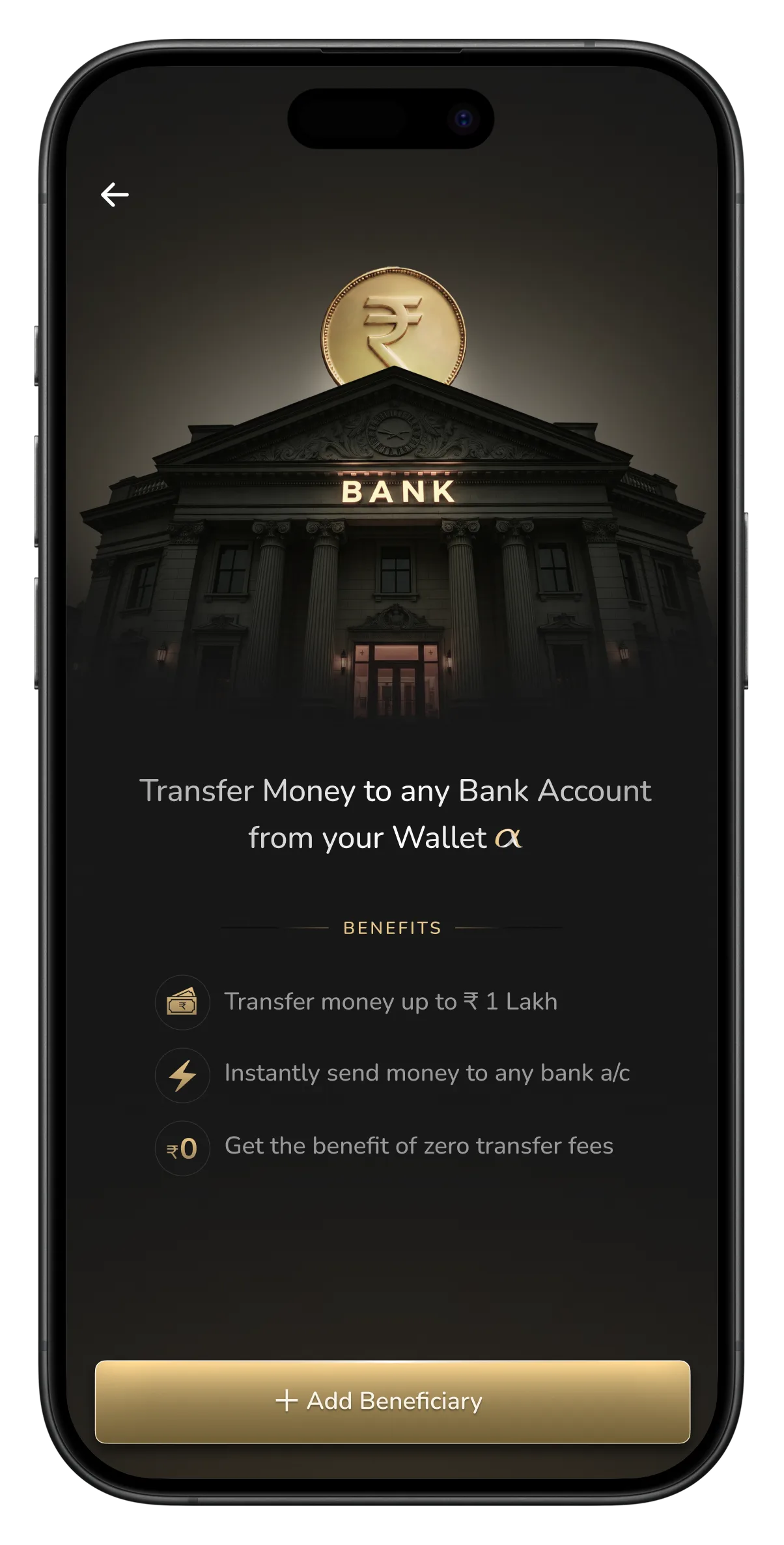
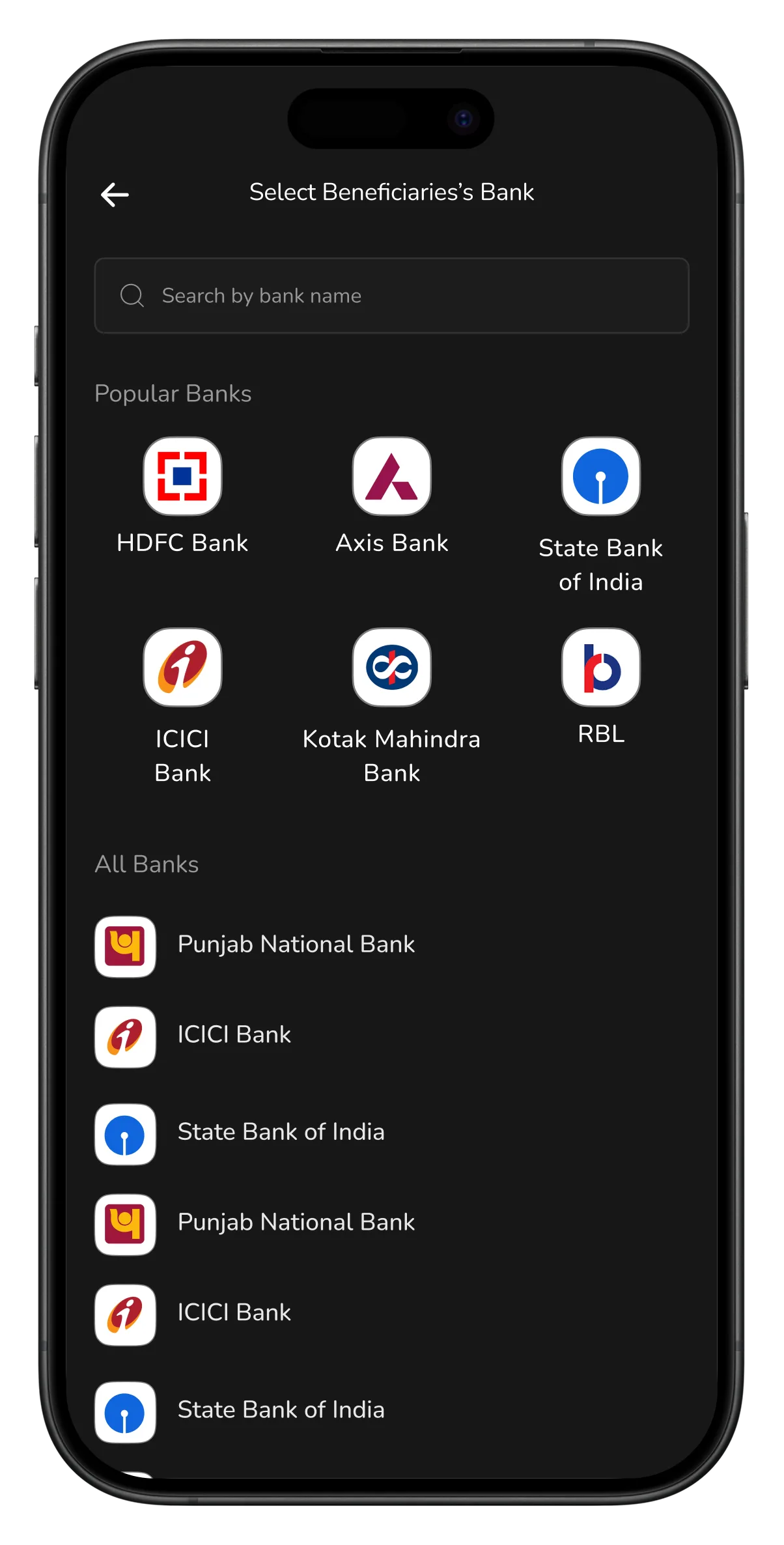
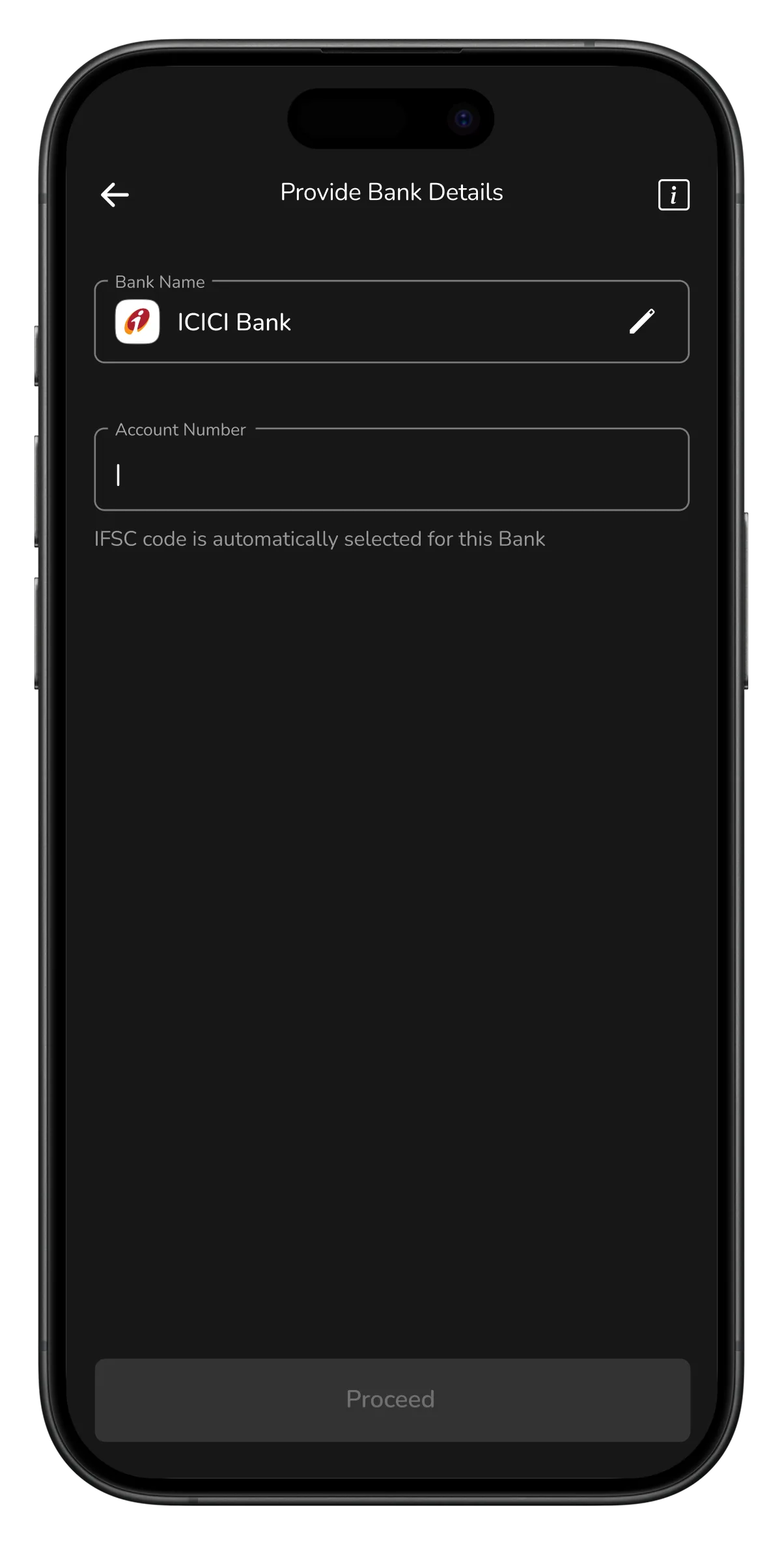
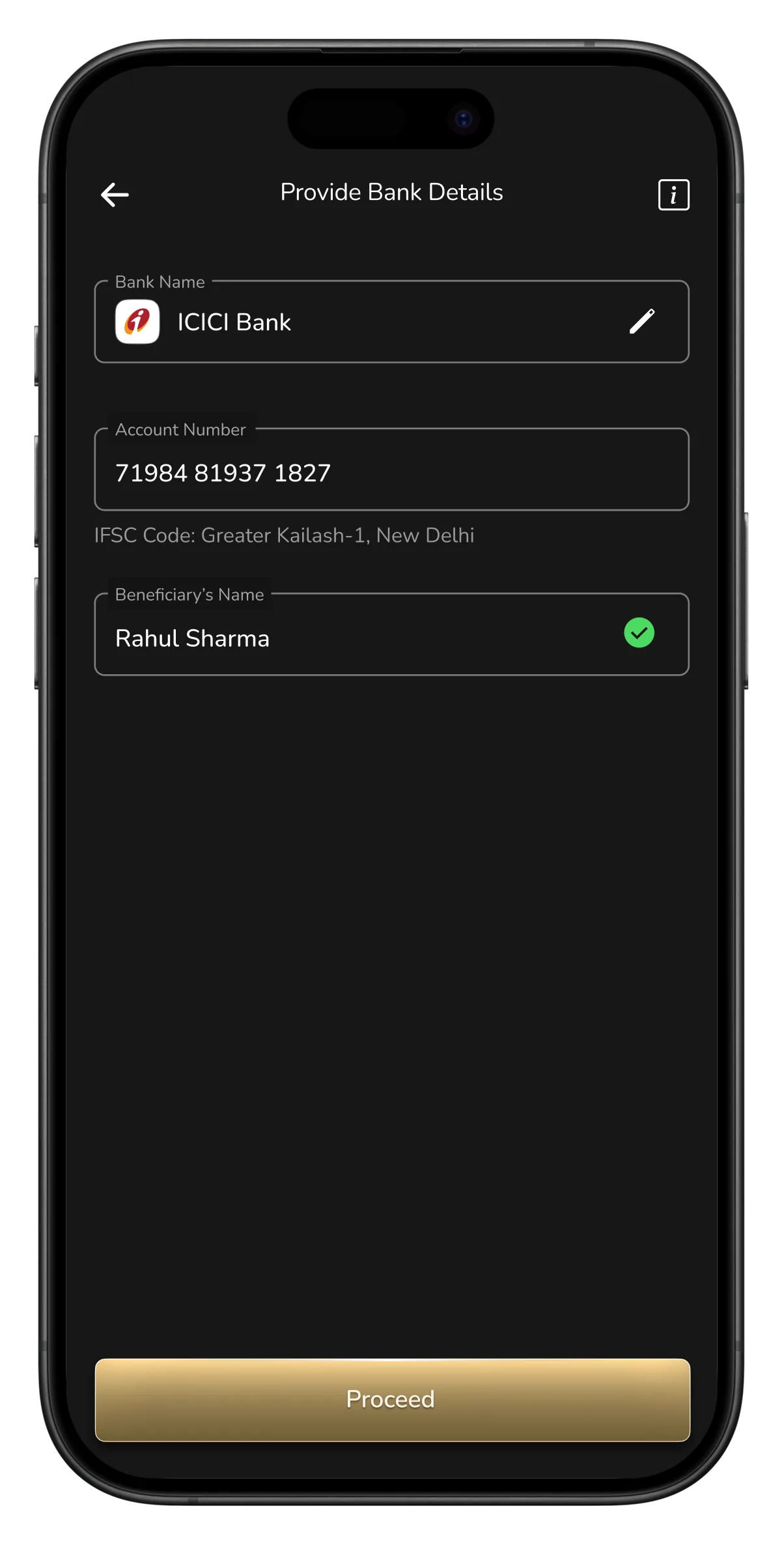
It opens with an invite, not a blank form. Then it asks only what you know. Pick your bank first, since everyone knows their bank but no one knows their IFSC. Add the account number, and the app auto-fills the IFSC and shows the account holder's name, so you know you've got the right person before you send.
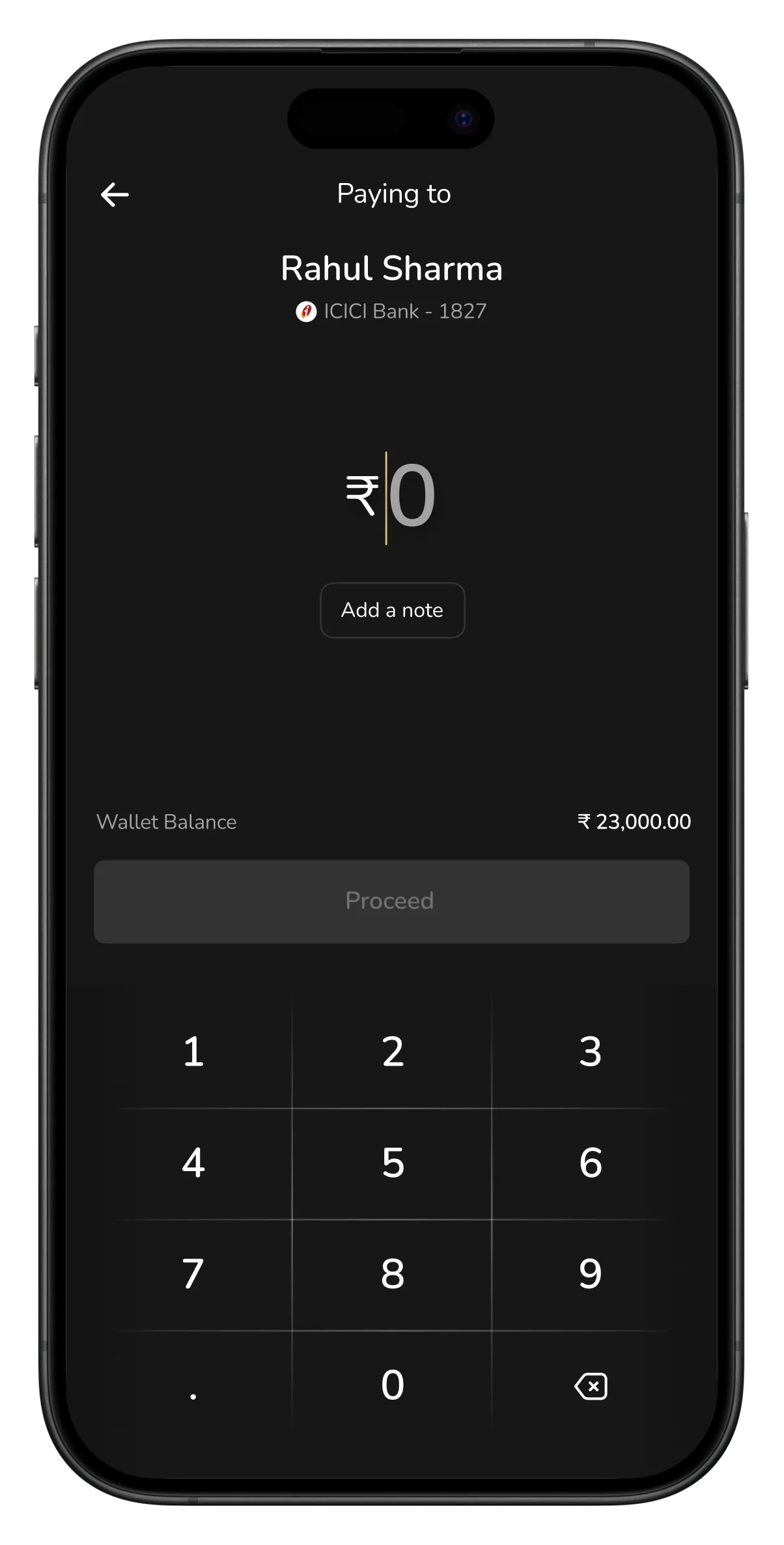
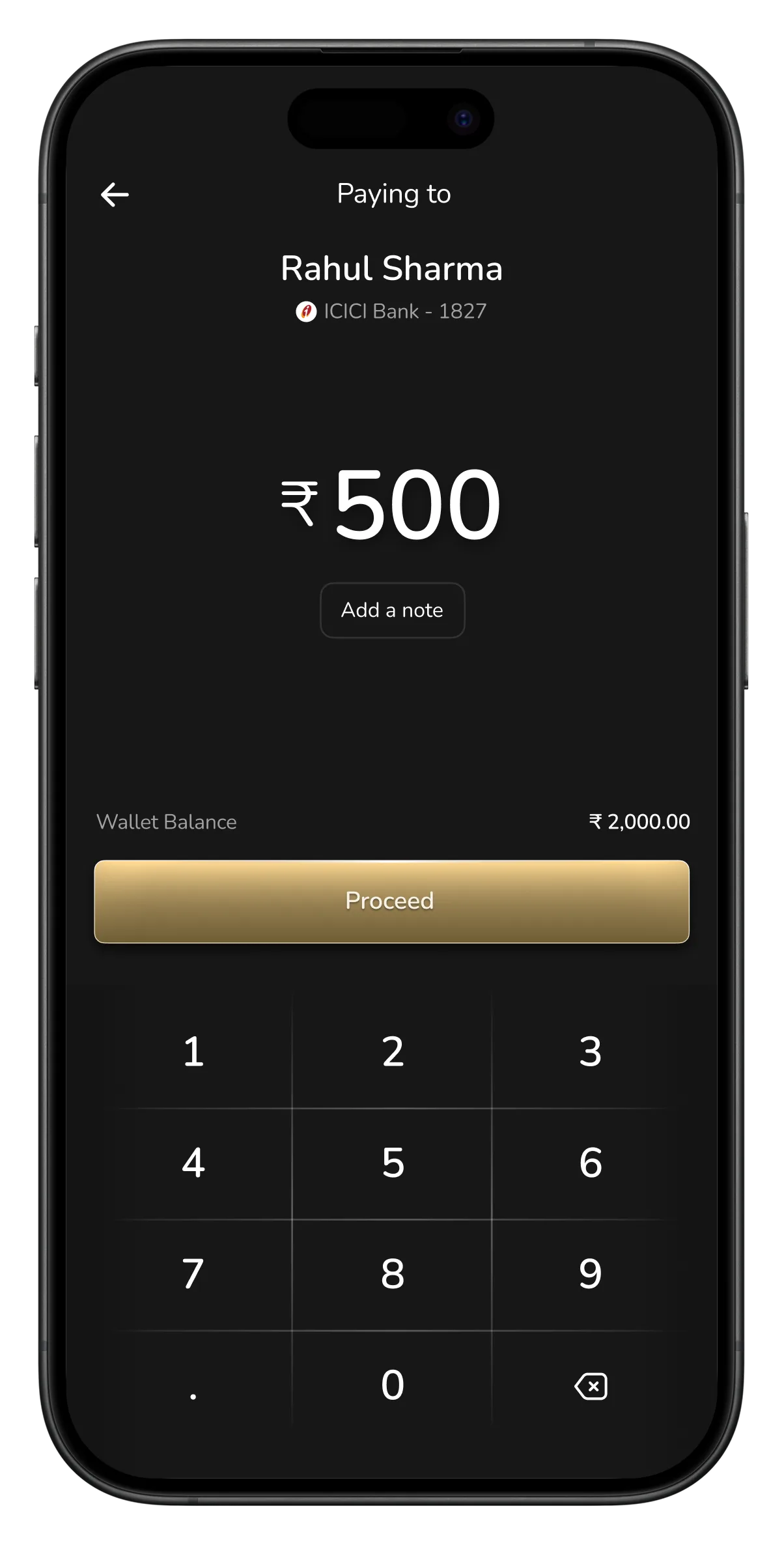
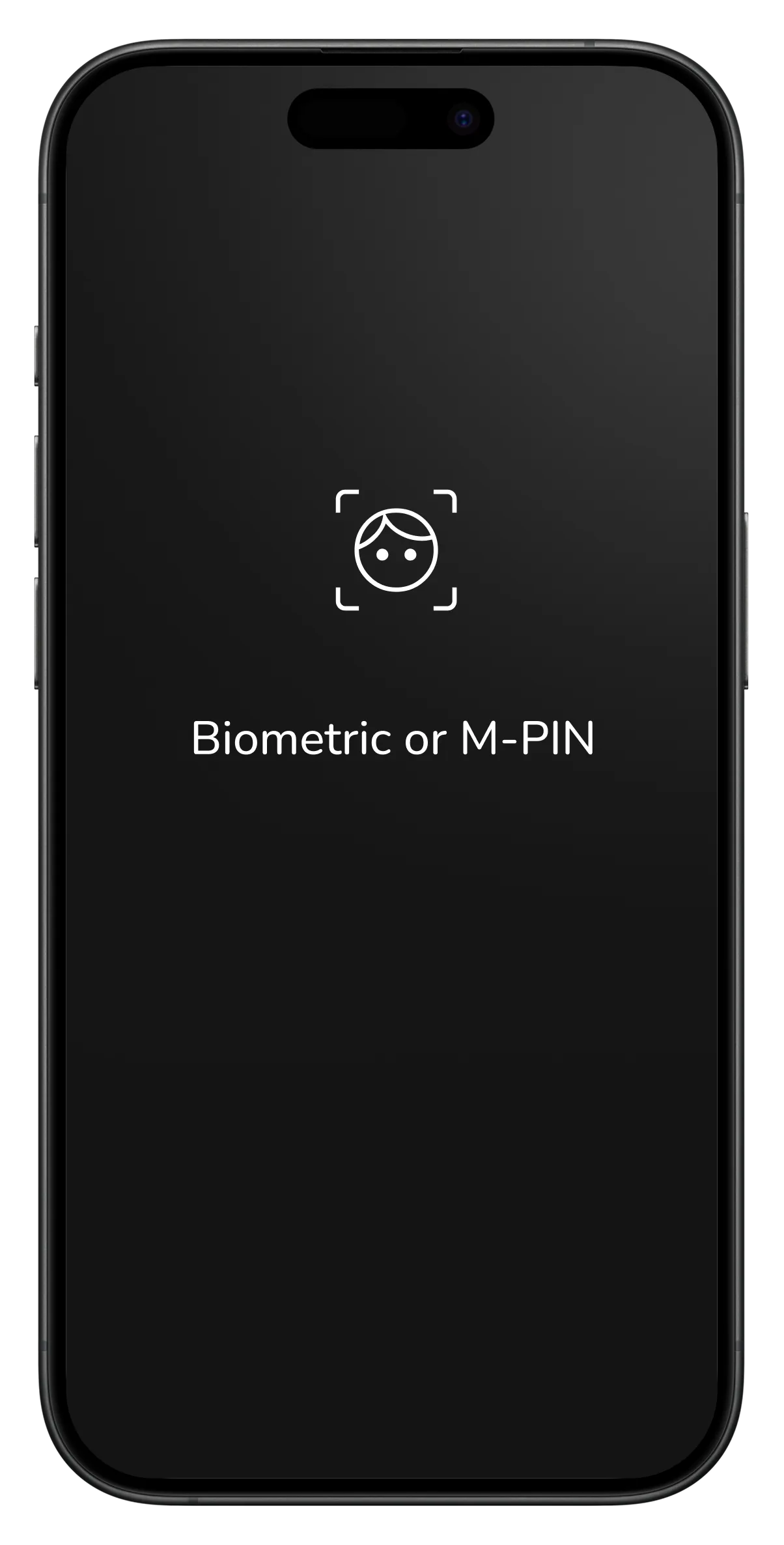
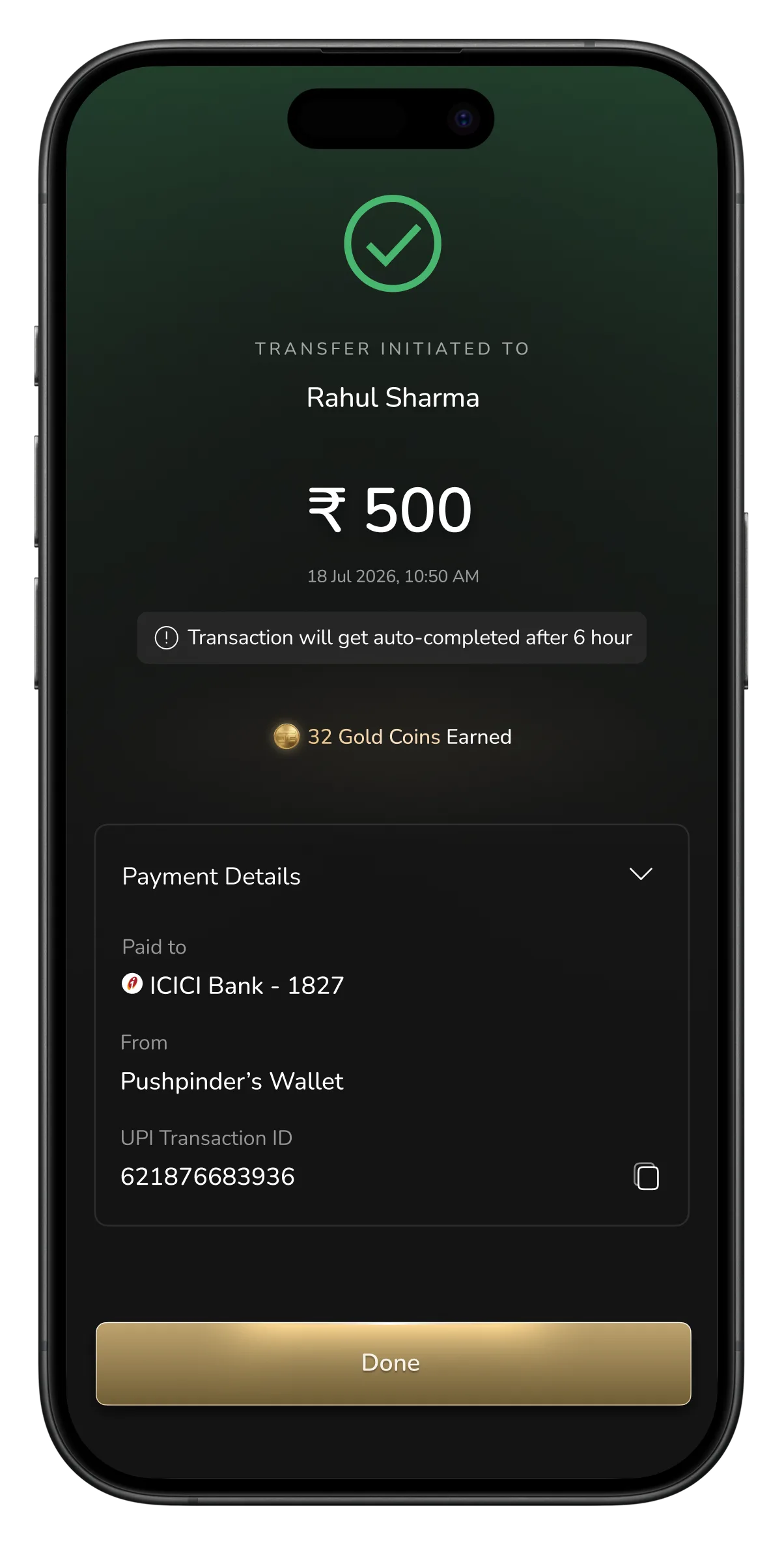
Then it takes you straight to the transfer, not back home. Enter the amount, confirm with biometric, done. The 6 hour cool off that used to be a red error is now a calm note: the transfer is on its way and completes in 6 hours. The app waits for you instead of stopping you.
Scroll →
Home screen
Invite screen, benefits of bank transfer
Pick your bank
Enter account number
IFSC & account name auto-filled
Proceed to transfer
Amount added
Biometric confirm
Transfer initiated, completes in 6 hours
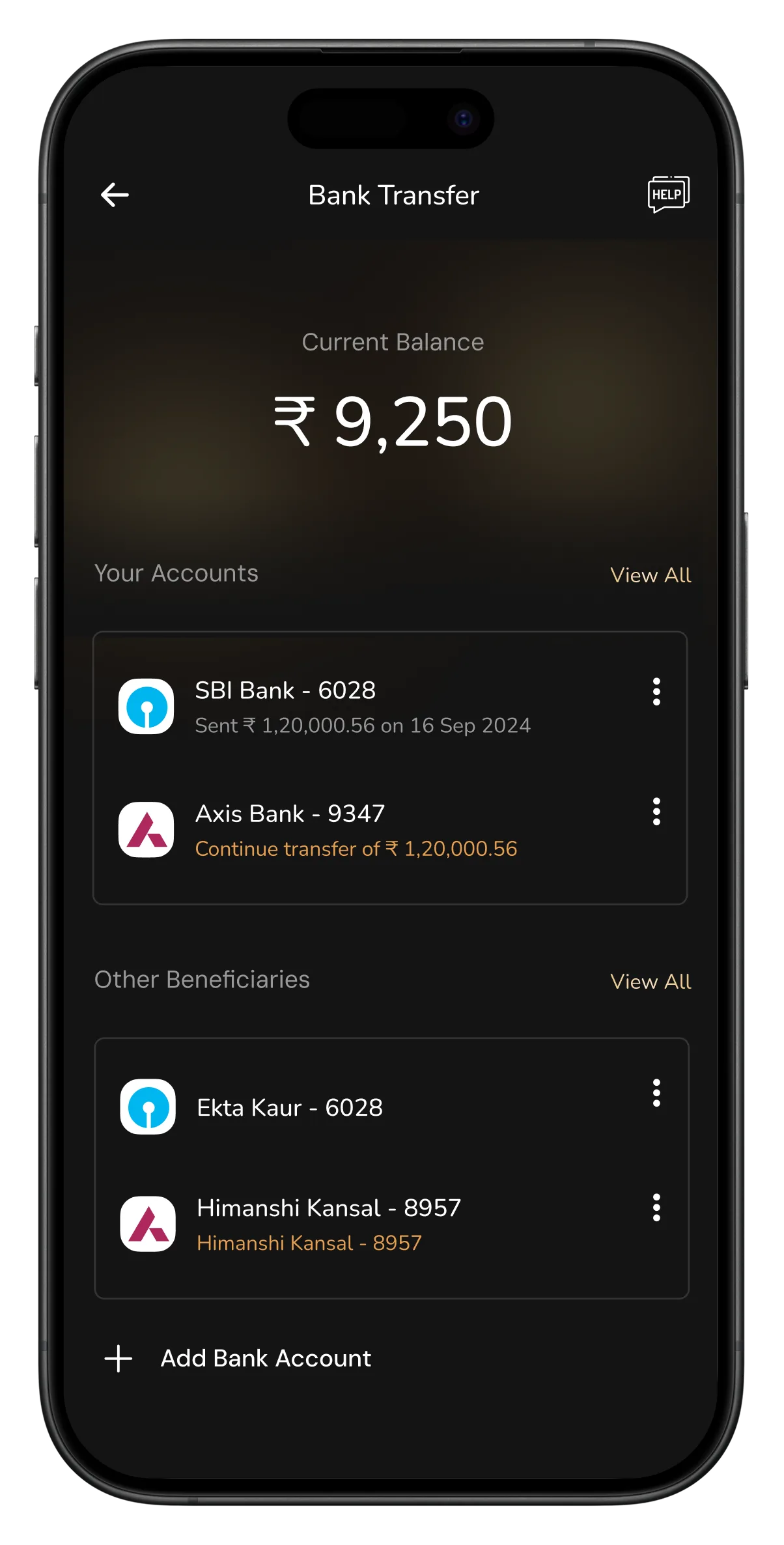
One clean list
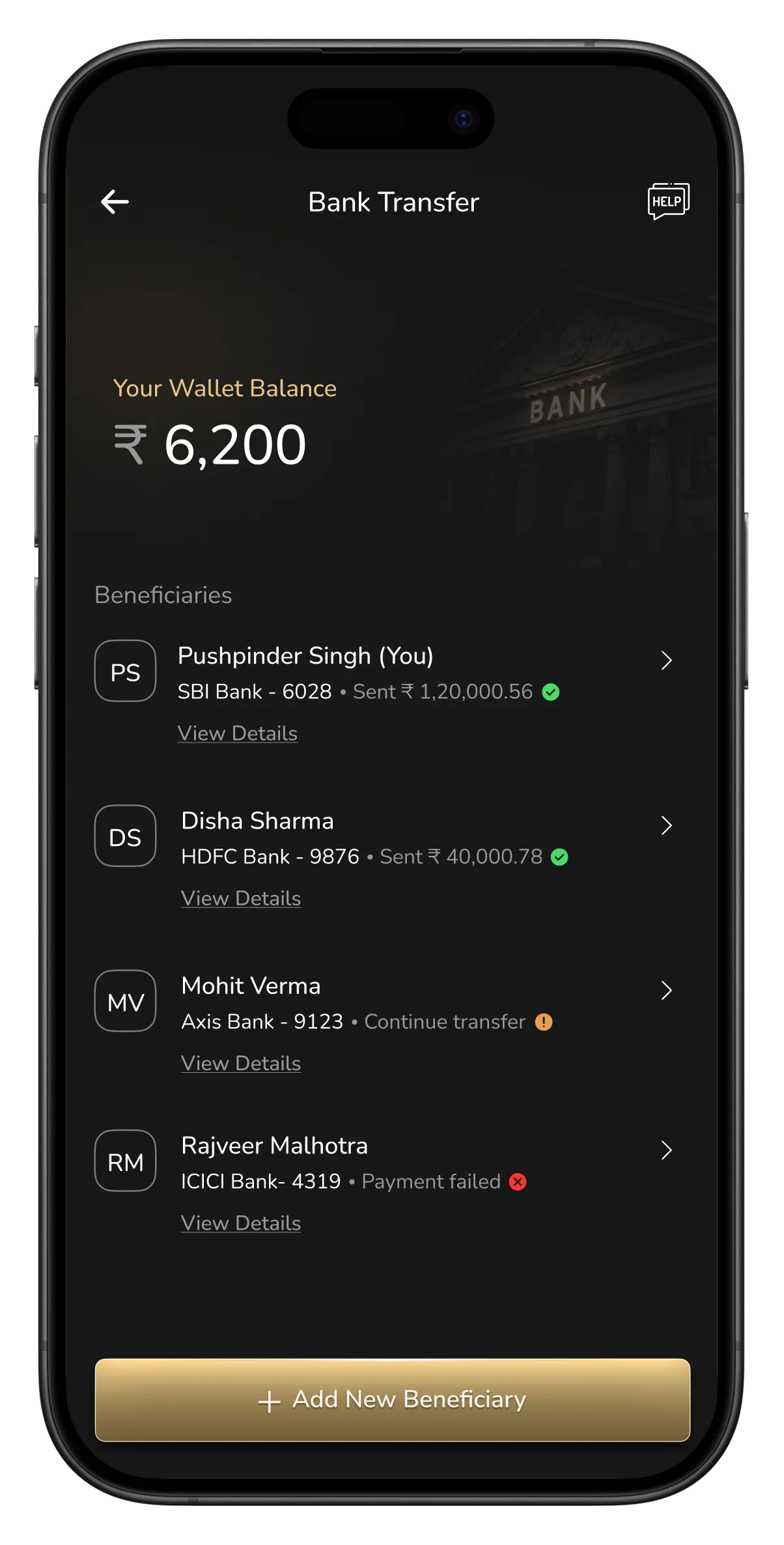
The old screen split accounts into two lists, Your Accounts and Other Beneficiaries, each showing different details, so your eye had to relearn the layout halfway down. The new one is a single list where every row reads the same way: the person first, then bank, account, and status. Your own account is just tagged “(You)” instead of needing its own section. Status shows at a glance too, green for sent, amber to continue, red for failed. And it simply looks sharper: clear hierarchy, avatars, and a proper primary button instead of a faint text link.
Scroll →
Afterthoughts...
Shorter paths, smarter defaults, and layouts that remember turned an app built for day one into one built for the hundredth use. The UI was pulled up to modern standards along the way — but the deeper change was a foundation the product can scale on.
Few of my other The Card Company projects → Request Access